
IDstudio guide · 4 min read
How AI turns an HDB floor plan into a design proposal
One real flat, an Ang Mo Kio 4-room, followed from the HDB sales plan to 12 photoreal renders. What the AI does at each step, where the designer approves it, and what is still the designer's job.
IDstudio does this for you: upload the HDB sales plan and a short brief, and approve the furnished plan, the 3D model and the renders one step at a time. See 2D floor plan to 3D renders and HDB floor plan to 3D.
One full project free: 7 days, trial credits worth US$50, no card needed.

- Published
- Updated
Key takeaways
- AI can take an HDB sales plan to a furnished plan, a SketchUp model and photoreal renders of every room, each render made from the clay view of the same model.
- It follows the HDB rules that matter for a proposal: structural walls and the household shelter stay as drawn, and anything it is unsure of is flagged.
- The designer still owns the design: the brief, the checks, the site measure and the approvals.
Short answer: the AI reads the floor plan, lays out the furniture, builds the 3D model and renders every room, and the designer checks and approves each step. Here is what that looked like on a real flat, using IDstudio, the AI interior design software we built for Singapore designers. You can click through the same project yourself in the open sample project.
1. Reading the planCan AI read an HDB floor plan?
Yes. The only input was a phone photo of the HDB sales plan for an Ang Mo Kio 4-room Type 2: 93 m², 90 m² internal.
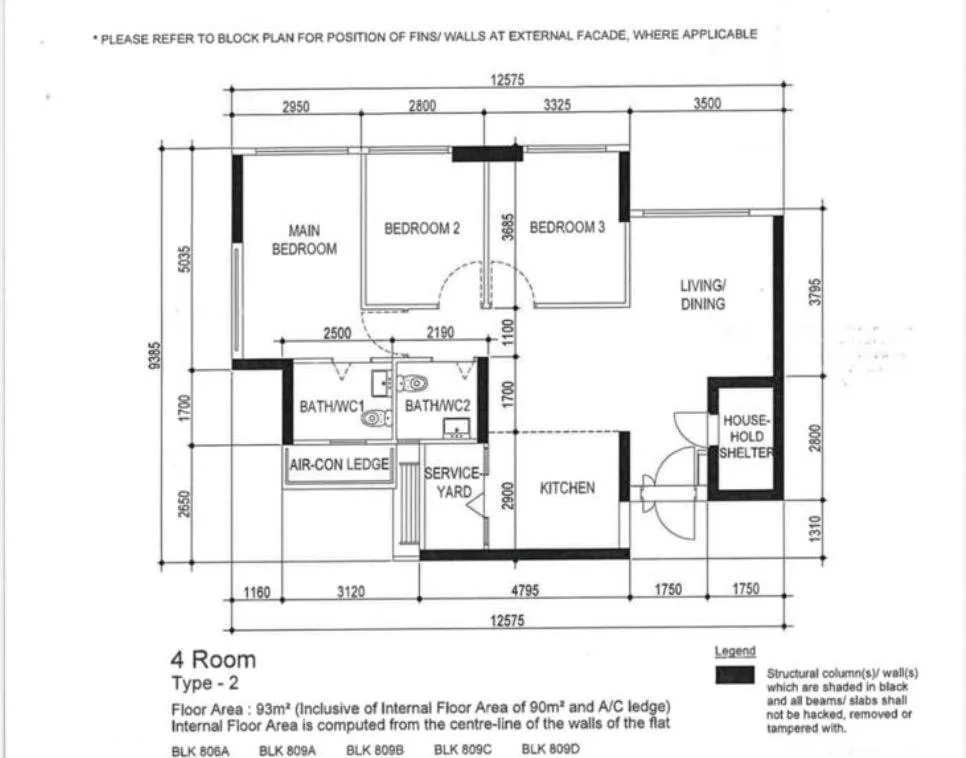
From that image the AI read 31 walls and 12 spaces, and checked that all six printed dimension chains add up to their overall lengths (12,575 by 9,385 mm). It sorted the walls the way HDB does: structural walls shaded black, the household shelter, external walls and partitions. The first two can never be touched.
2. The briefWhat does the AI need to know?
The same things a designer asks at the first meeting. The brief for this flat was short:
- Kitchen: aluminium cabinets, pantry, glass sliding door.
- Living: shoe cabinet, TV feature wall with a glass display.
- Main bedroom: queen bed, L wardrobe. Bedroom 2: super single, L wardrobe.
- Bedroom 3: tatami platform bed with a small work table.
- Theme: "something cool, striking but mass acceptable".
Where the brief left a gap (the theme, the palette, whether to hack walls), the AI proposed an answer and marked it as a proposal: Warm Modern Luxe, warm and earthy, no hacking.
3. The furnished planHow is the furnished layout drawn?
The AI draws a first plan from the brief, and you approve it before anything is built in 3D. Every room is furnished to the plan's own dimensions and checked: nothing overlaps, the corridor stays 1,000 mm, the kitchen entry 1,070 mm, and the TV is centred on the sofa.
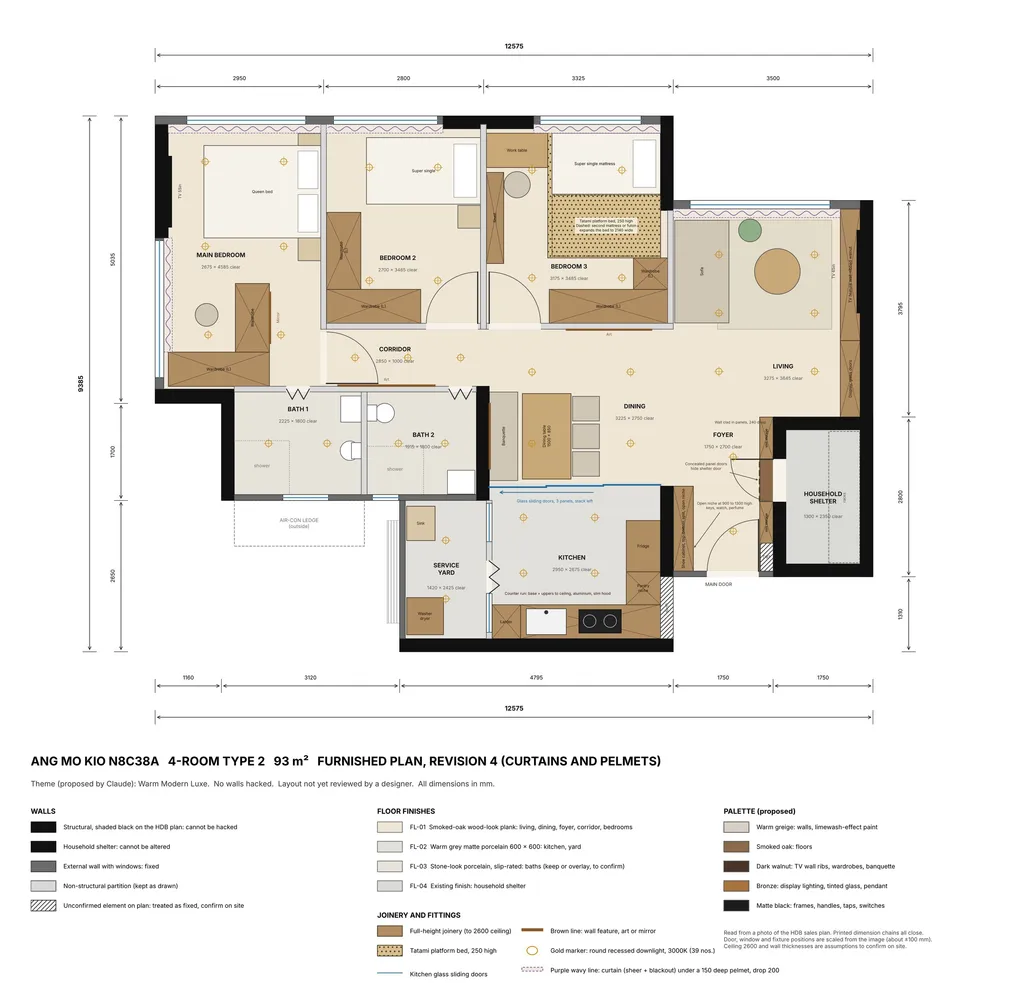
Changes were asked for in plain words: clad the shelter wall and add a niche by the door; turn the super single beds and make bedroom 3 a raised tatami platform; plan for curtains with pelmets. The engine also lists what it could not meet. Here, the wardrobes stop short of wall to wall, and dressing the shelter wall needs checking with HDB and SCDF.
4. 3D and SketchUpCan you get a SketchUp file from a floor plan?
Yes. The approved plan is built in SketchUp from the same data, so the model matches the drawing. This one has 13 scenes: 12 room views and an overview. The clay views are the check before anything is rendered: if the camera or a cabinet is wrong, it is cheap to fix here.
5. RendersHow are the renders made?
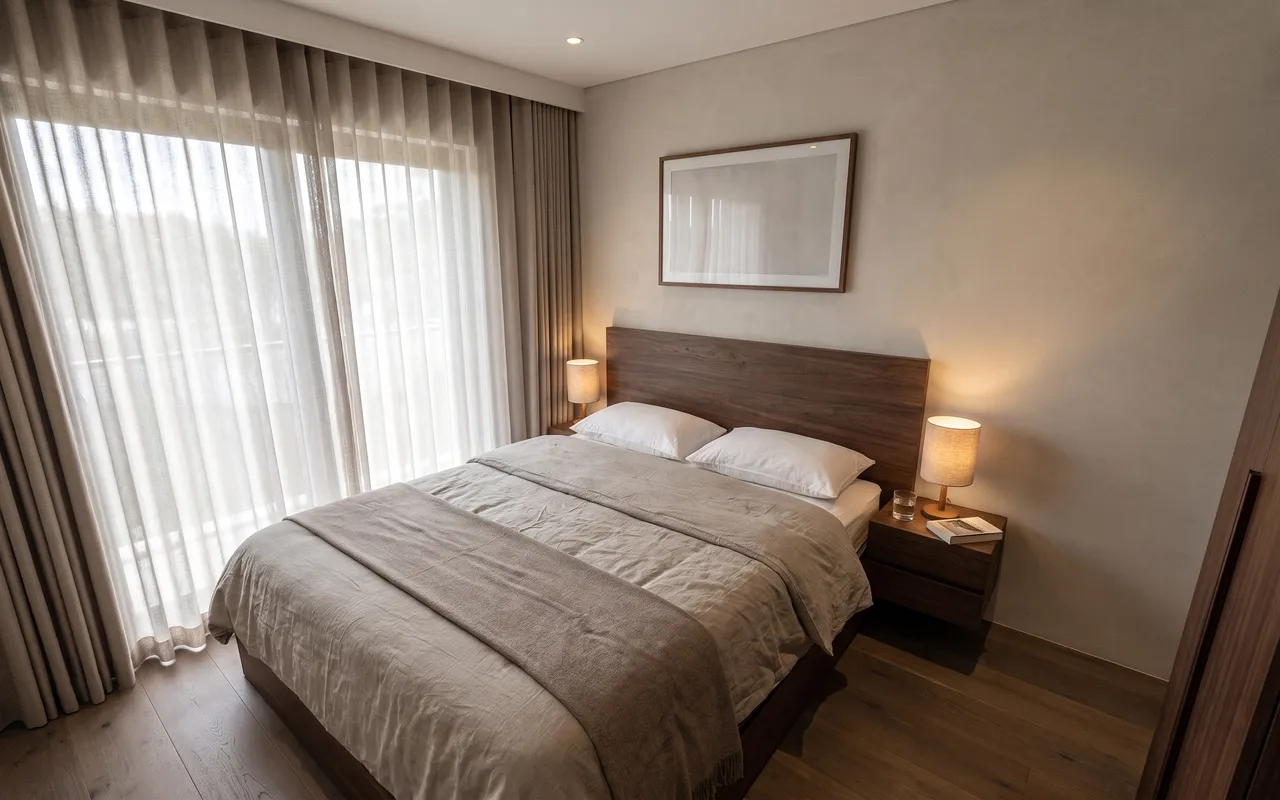
Each room is rendered from its own clay view of the same model, so every render starts from what you checked in clay.

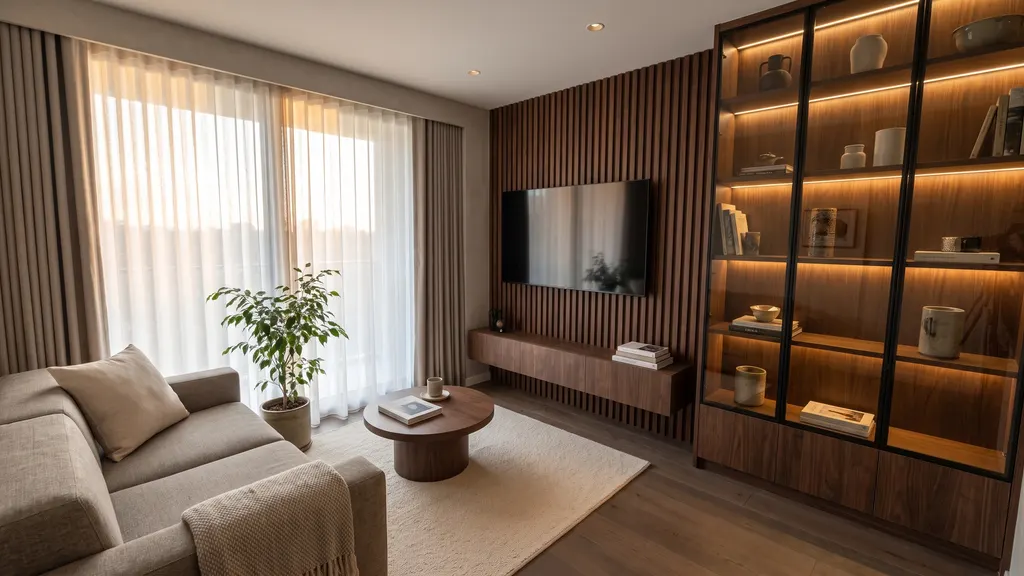
Two of the twelve renders are framed differently from their clay views, and we show them that way in the sample rather than hide it.
The designer's jobDoes this replace the interior designer?
No. The AI does the drafting, modelling and rendering. The designer still runs the brief, decides what is right for the client, measures on site, and handles HDB approvals and the contractors. What changes is what the client sees at the first meeting: their own home, planned and rendered. IDstudio gets there in five steps and less than an hour*, with an approval gate at each step.
* When left to run through all five steps on its own, without stopping for your review.
See it yourselfWhere can I see the whole project?
Click through every step of this flat in the open sample project, no sign-in. Or try IDstudio free on your own floor plan.
Next: what Singapore designers can send clients at the first meeting, and the eleven HDB interior design themes IDstudio builds.
Questions? WhatsApp me or email me.
About the author
Kenneth Phua
Founder, Konverta.ai
Kenneth is a Singapore-based digital, data and AI leader with 15+ years of experience, including senior global roles at Coca-Cola, where he was the Global Head of Digital Strategy and Innovation. He has advised C-suite leaders across FMCG, retail, property, hospitality and luxury, and now applies the same playbook to Singaporean and Asian corporates and SMEs through Konverta.ai.
AI interior design proposals: what Singapore designers can send clients at the first meeting
What goes into a first proposal when the plans, the 3D model and the renders all come from the client's floor plan.
IDstudio by konverta.ai
Your next floor plan, in front of the client
IDstudio by konverta.ai: AI interior design software that turns a floor plan into a furnished plan, a SketchUp 3D model, photoreal renders and a client design proposal, built for Singapore interior designers.
One full project free: 7 days, trial credits worth US$50, no card needed. More about IDstudio.