
IDstudio · For interior designers in Singapore
From 2D floor plan to client-ready 3D renders and a design proposal
Built for interior designers in Singapore. HDB BTO or resale, condo and landed, in five steps and less than an hour*
US$50 of free trial credits · 1 project free for 7 days · No card
How it works in detail
IDstudio by konverta.ai is an AI tool for interior designers that turns a floor plan into a furnished layout, a 3D SketchUp model, photoreal renders and a client-ready design book. It was built with CAsarté Interior, a practising interior design firm in Singapore, and works for HDB, condo and landed homes.
Upload the plan, answer a short brief, and approve each stage: plan, 3D model, renders, photo style, design book. Change any room in plain words or mark up the view. Pick one of 11 themes, or make one your firm's own.
Trial credits worth US$50. Private by default: your client's plans and renders stay in your firm's account, behind your sign-in.
Built in Singapore by Konverta.ai with CAsarté Interior, a practising interior design firm. Konverta AI SG Pte. Ltd., UEN 202617286Z.
* When left to run through all five steps on its own, without stopping for your review.
Already have an account? Sign in · Updated
01 How it works
From floor plan to final render, in five steps and less than an hour*
Upload any floor plan (HDB, condo or landed) to IDstudio and answer a short brief, then approve five stages: the furnished plan, the 3D model and SketchUp file, the renders, the photo style and the design book.
-
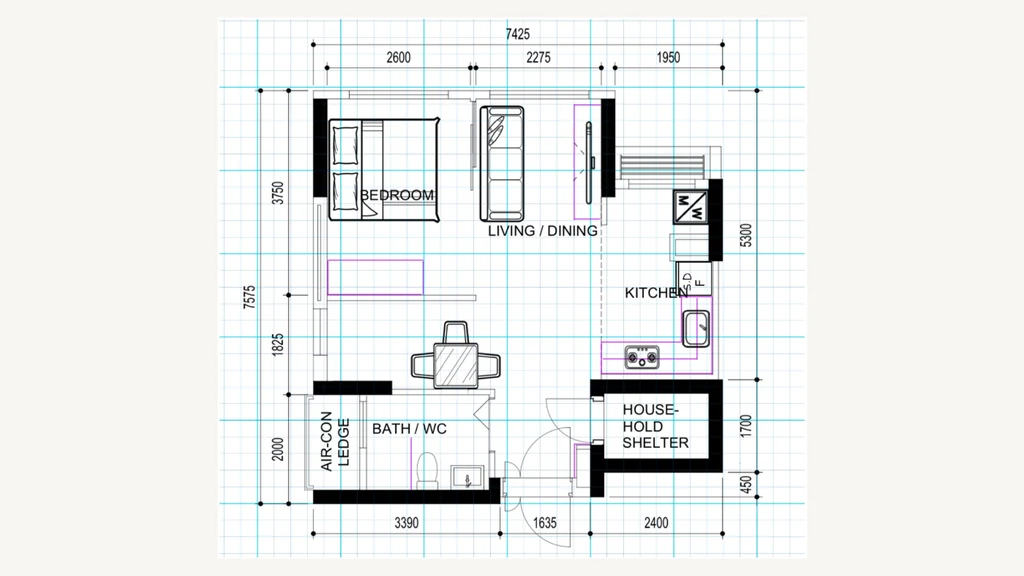
1Structured brief
Upload the floor plan and fill in the structured brief: a short list of questions about the household, rooms, storage and style.
-
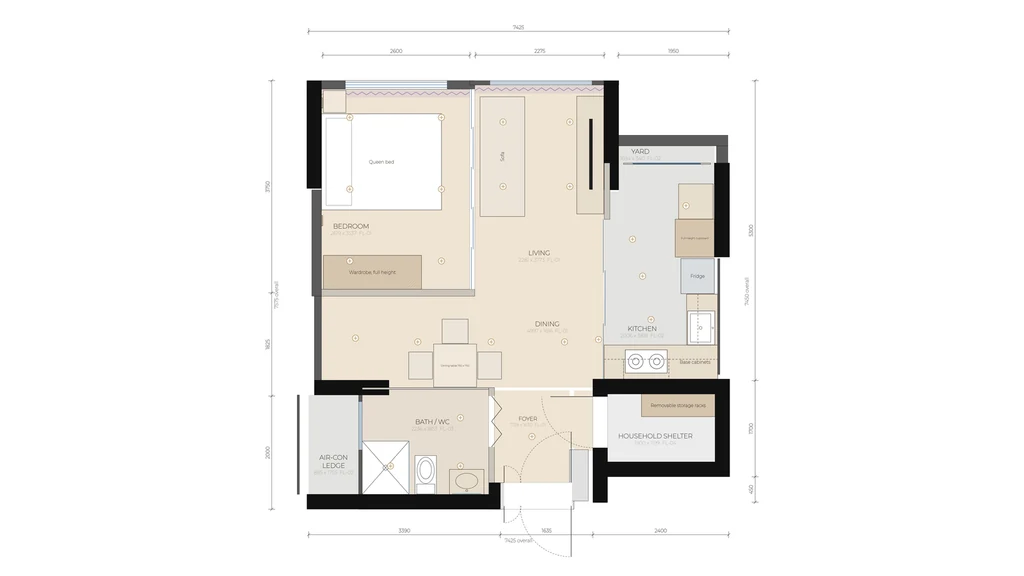
2Furnished plan
A furnished layout, every room checked against your design rules.
-
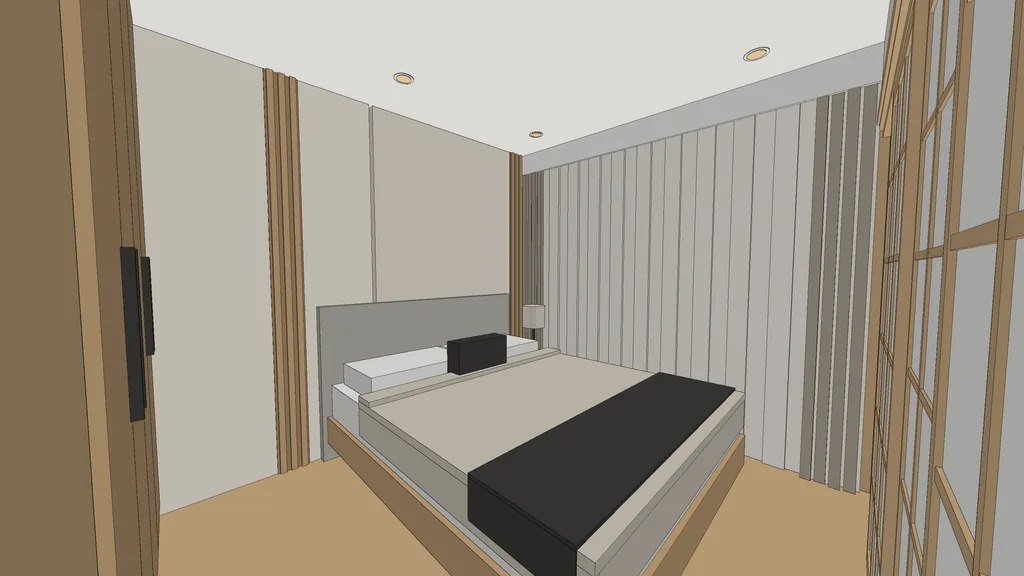
33D model
A real SketchUp model in millimetres, plus clay views of every room.
-
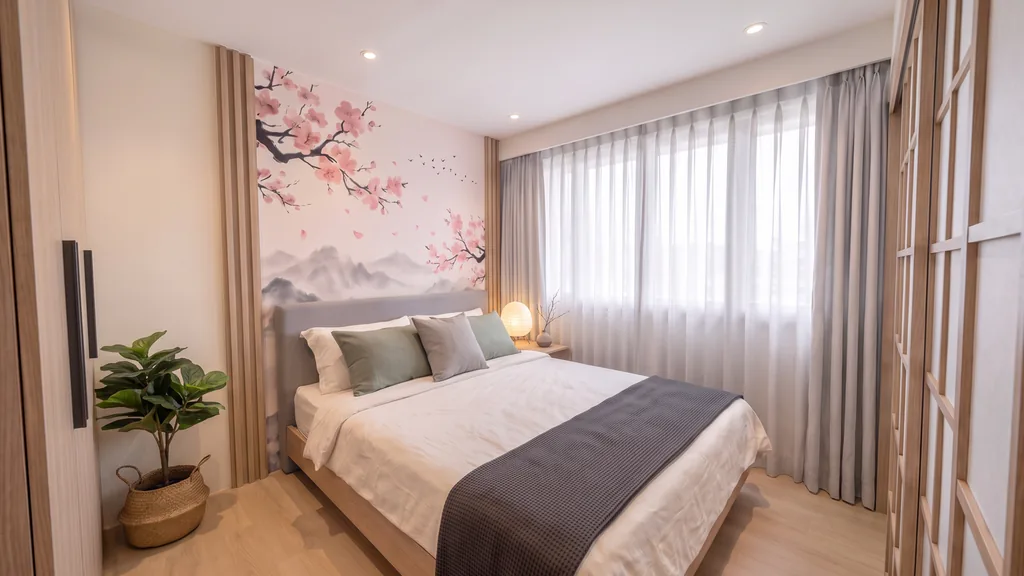
4Renders
Photoreal renders from the clay views, nothing invented.
-
Technical planRealistic planSketchUp model (.skp)Clay viewsRenders
5Pack
Drawings, model and renders, ready for your client.
Change anything at any step: type it in plain words.
* When left to run through all five steps on its own, without stopping for your review. Every step in detail, in the FAQ
Key facts · updated
What is IDstudio, in short?
- What it is: an AI tool for interior designers, by konverta.ai, built with CAsarté Interior (Singapore).
- Input: the floor plan you already have (an HDB sales plan, a condo plan or your own layout) and a short brief.
- 2D to 3D: your 2D floor plan becomes a furnished floor plan (AI space planning, or your own layout kept as drawn), a 3D model with a SketchUp .skp file, a 3D floor plan and photoreal 3D renders of every room.
- Design proposal: a client-ready design book PDF with the plans and renders, plus a separate brief PDF.
- Five stages, five approvals: brief, furnished plan, 3D model, renders, design book. Nothing moves on until you approve.
- Changes: each room has its own chat. Change it in plain words or mark up the view.
- Looks: 11 themes with full kits, plus "Make it my own" for your firm's own theme, and 7 photo styles for the finals.
- Homes: HDB (BTO or resale, 2-room to executive), condos, executive condominiums and landed homes.
- Free trial: one full project, 7 days, trial credits worth US$50, no card needed.
02 Open demo · no sign-in
Turn a 2D floor plan into 3D renders: a real HDB project
This is what IDstudio actually produces, step by step, from a 2D floor plan to 3D renders: an Ang Mo Kio 4-room HDB flat, from the HDB sales plan to 12 photoreal renders in the Warm Modern Luxe theme.
Sample project: Ang Mo Kio 4-room HDB 4-room Type 2 · 93 m² (90 m² internal) · Warm Modern Luxe · 12 views
1. The floor plan that went in
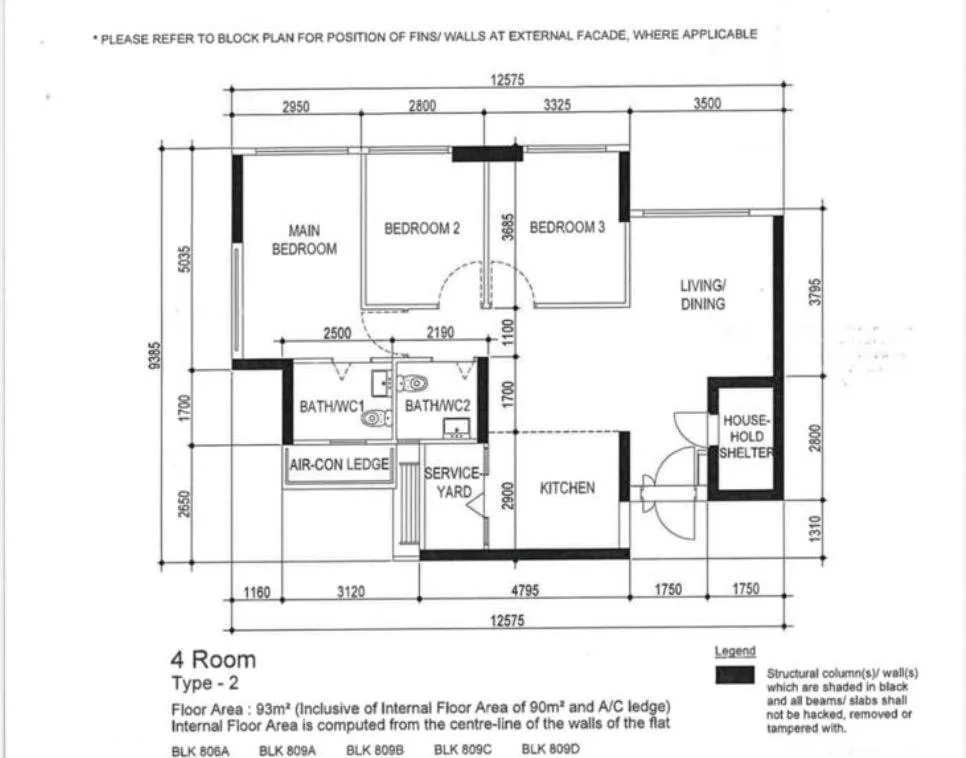
This image is all the engine was given. It read the walls, doors, windows and the printed dimension chains from it: an overall box of 12,575 by 9,385 mm, 31 walls and 12 spaces.
It sorted the walls the HDB way: structural walls shaded black and the household shelter cannot be touched; partitions could be, but the brief asked for no hacking, so every wall stayed as drawn.
Read from the plan
- Main bedroom 2,675 × 4,585 mm
- Living 3,275 × 3,645 mm
- Kitchen 2,950 × 2,675 mm
- Household shelter 1,300 × 2,350 mm, left untouched
2. The brief
- Theme
- Warm Modern Luxe proposed by the AI
- Theme notes
- "Be creative with the theme, something cool, striking but mass acceptable"
- Palette
- Warm and earthy proposed by the AI
- Hacking
- No hacking proposed by the AI
- Run mode
- Floor plan first
- Feature walls
- TV feature wall with a glass display
- Kitchen
- Aluminium cabinets, pantry, glass enclosed with a sliding door
- Main bedroom
- Queen bed, L wardrobe
- Bedroom 2
- Super single, L wardrobe
- Bedroom 3
- Tatami platform bed with a super single mattress and a small work table
- Windows
- Curtains with pelmets
The designer's answers, word for word. Three lines were left open, so the AI proposed them and marked them as proposals for the designer to accept or change.
In the portal the brief is 18 questions in a few short rounds. The AI starts reading the plan while you answer, so the plan is ready sooner.
3. The furnished plan
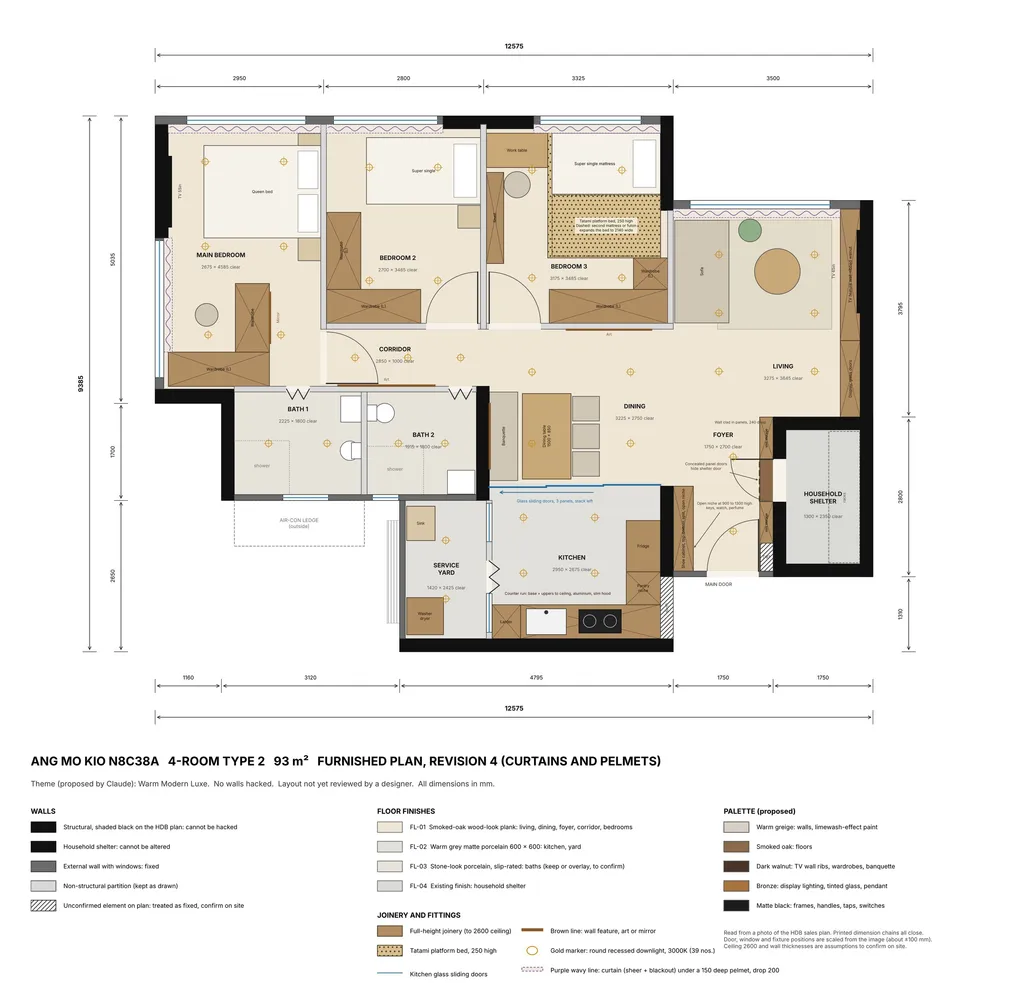
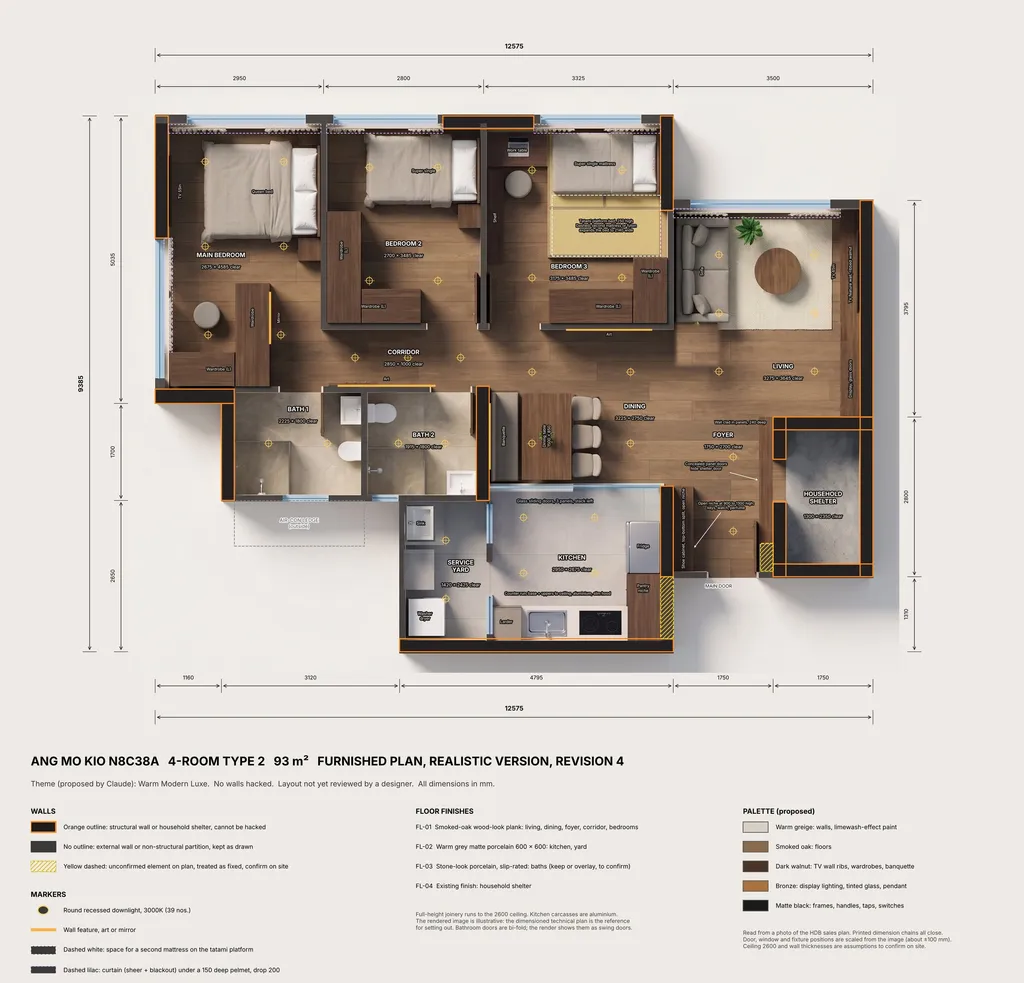
A complete furnished layout for every room, drawn to the plan's own dimensions. Then three rounds of changes, asked for in plain words:
- "Clad the whole shelter wall and add a niche by the main door."
- "Turn the super single beds 90 degrees and deconflict. Bedroom 3 becomes an elevated tatami platform bed."
- "Plan for curtains with pelmets."
Checked by the engine
- All six printed dimension chains close; area 90.5 m² against 90 m² internal
- Nothing overlaps; corridor 1,000 mm, kitchen entry 1,070 mm
- TV centred on the sofa and on the main bed
Flagged for the designer
- Wardrobes stop short of wall to wall in all three bedrooms
- Bedroom 2 bed sits 75 mm from its curtain zone
- Cladding over a household shelter wall needs checking with HDB and SCDF
4. The 3D model and SketchUp file
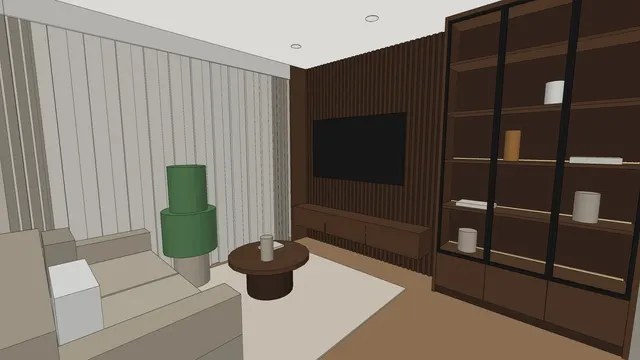
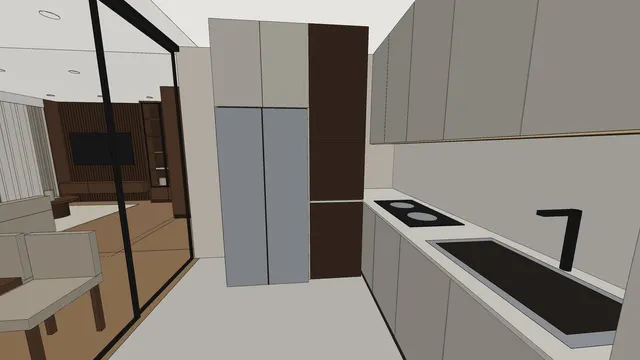
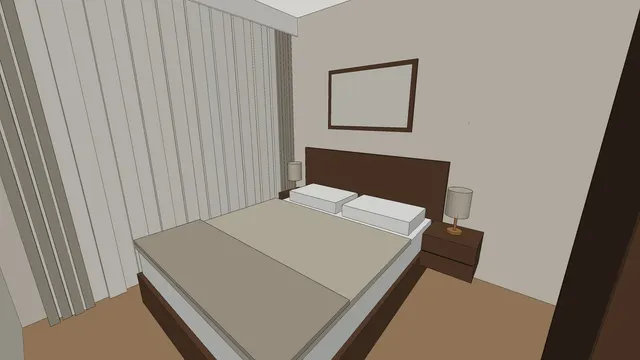
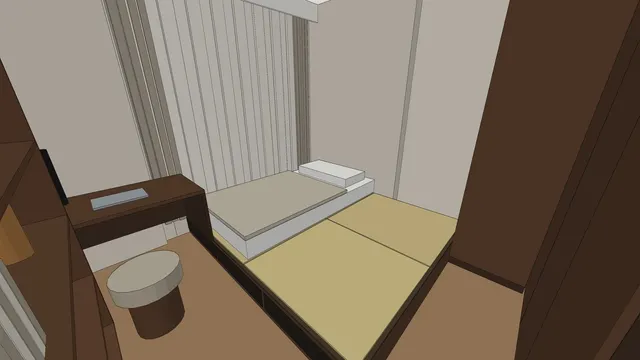
The approved plan is built in 3D in SketchUp from the same data, so the model matches the drawing. Each view is saved as a scene; the clay views are your check before anything is rendered.
This model has 13 scenes: 12 room views and an overview. Open it in SketchUp and keep working.
5. Photoreal renders, room by room
Drag across each picture to compare the clay 3D view with its render. Every room was rendered at the same time.
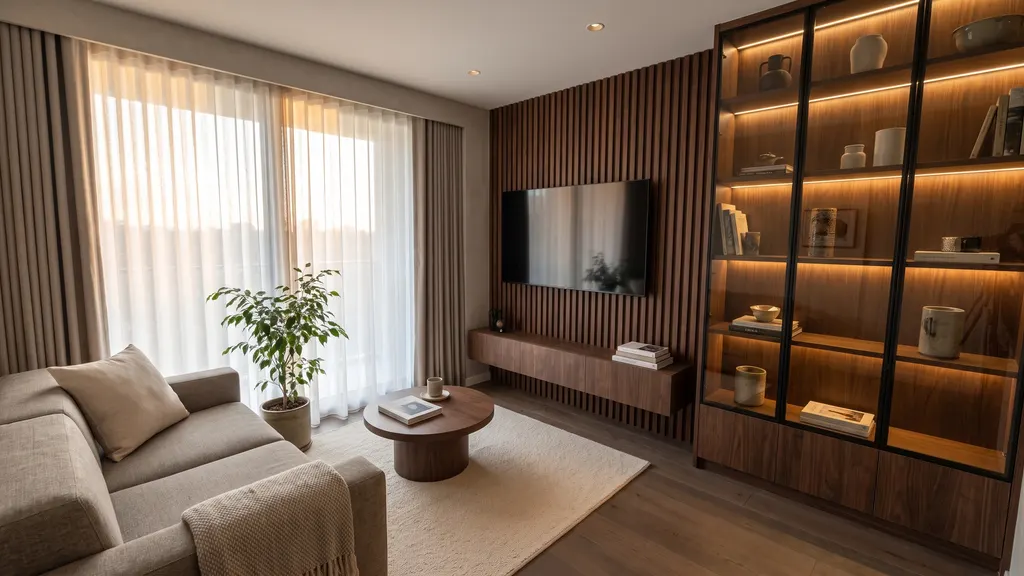
 3D clayRender
Living room, TV wall
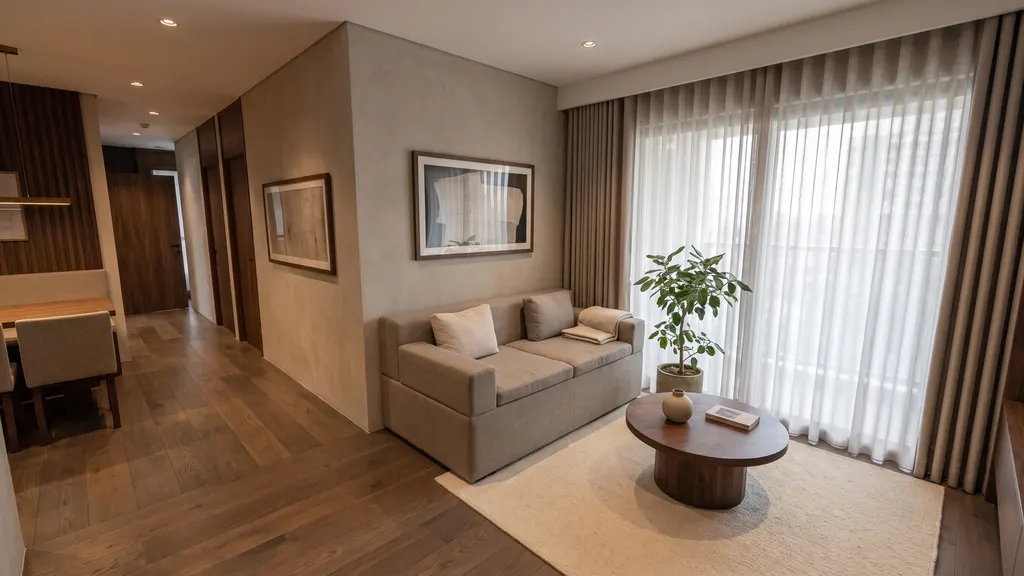
 3D clayRender
Living room, sofa side
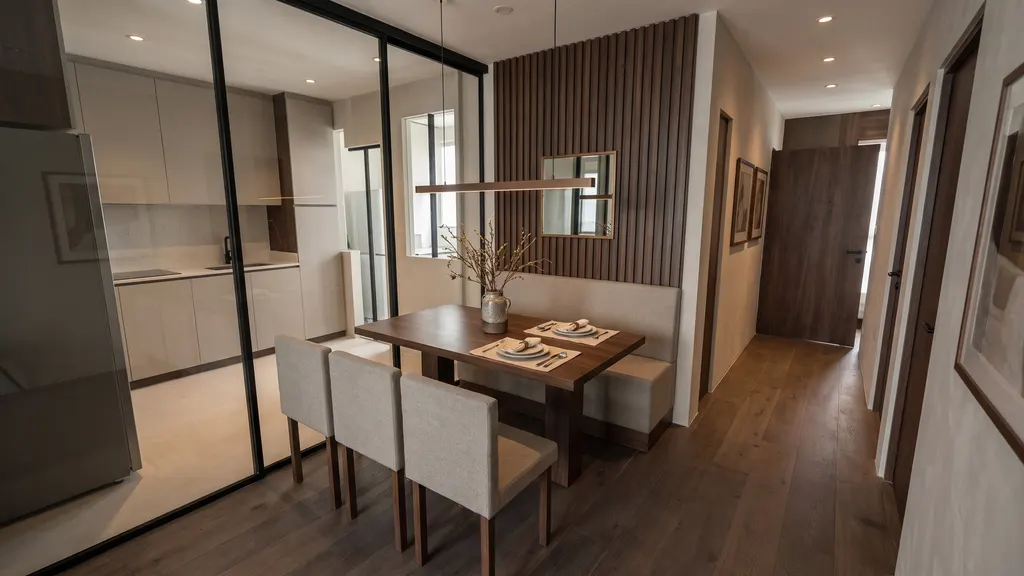
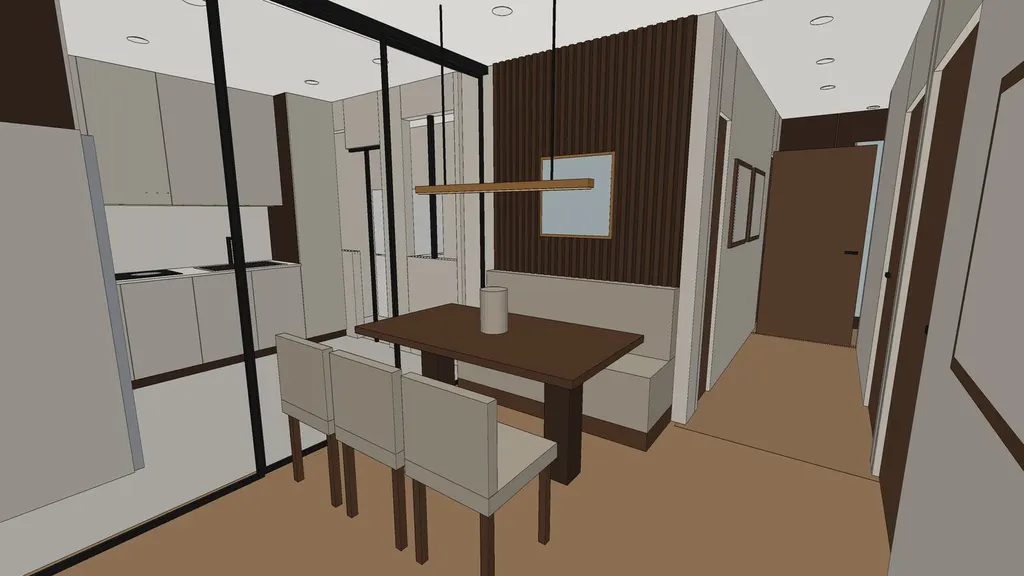 3D clayRender
Dining
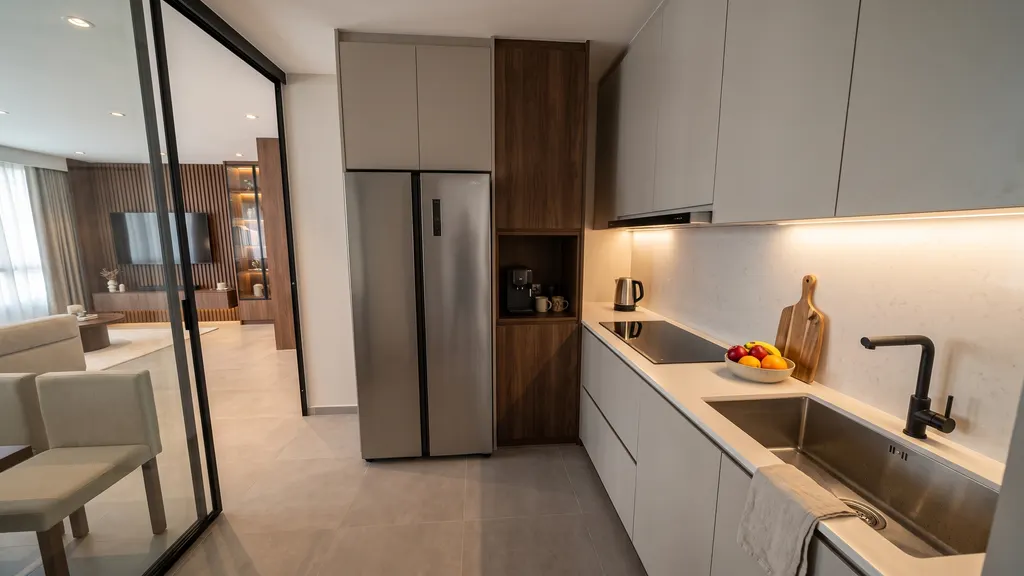
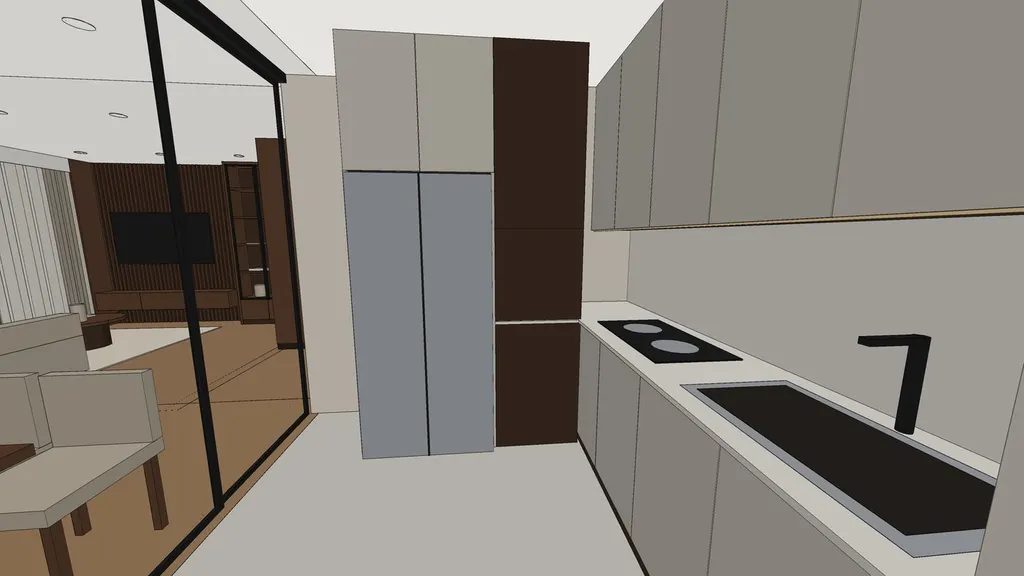 3D clayRender
Kitchen
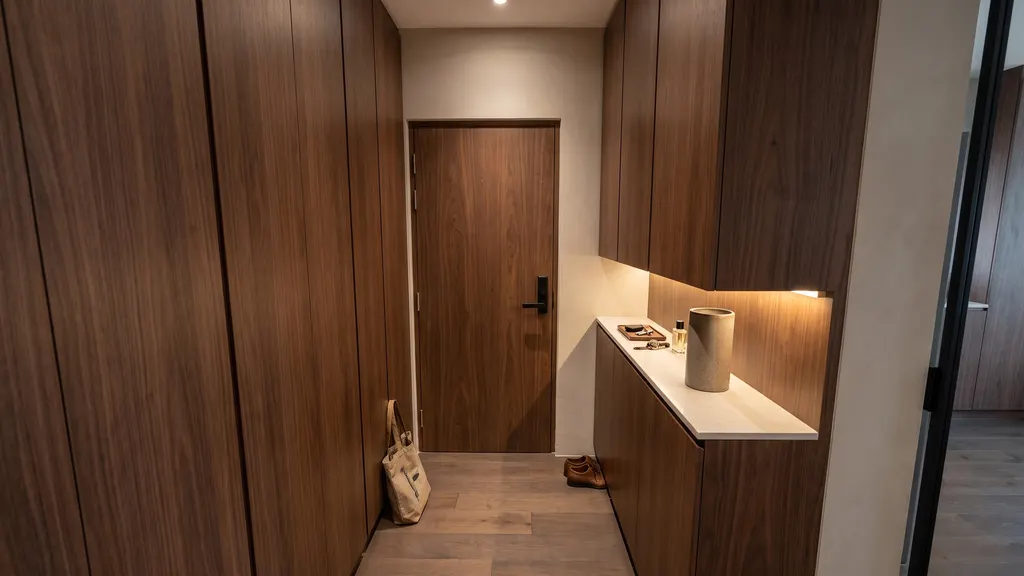
 3D clayRender
Foyer
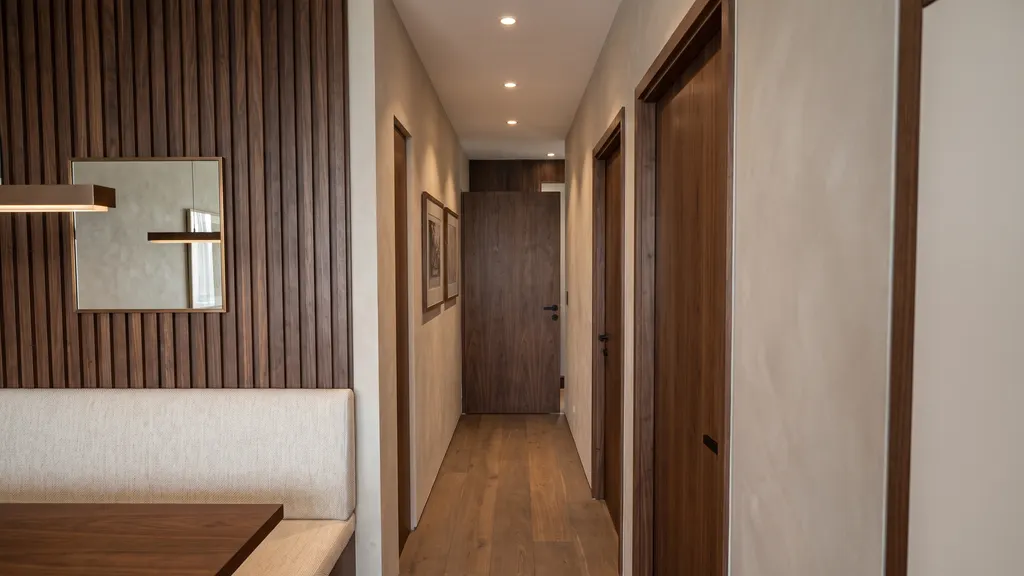
 3D clayRender
Corridor
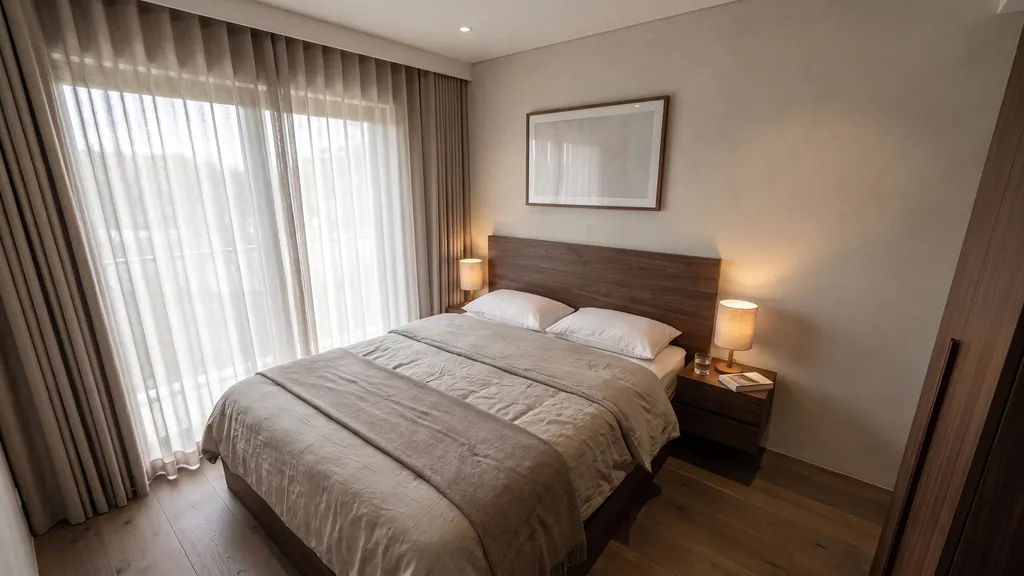
 3D clayRender
Main bedroom
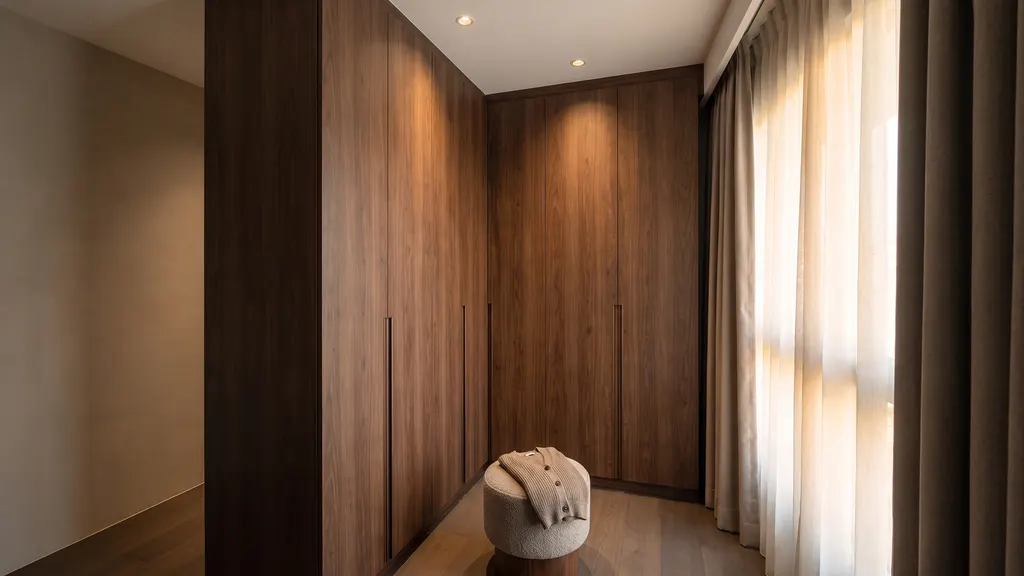
 3D clayRender
Main bedroom, wardrobe
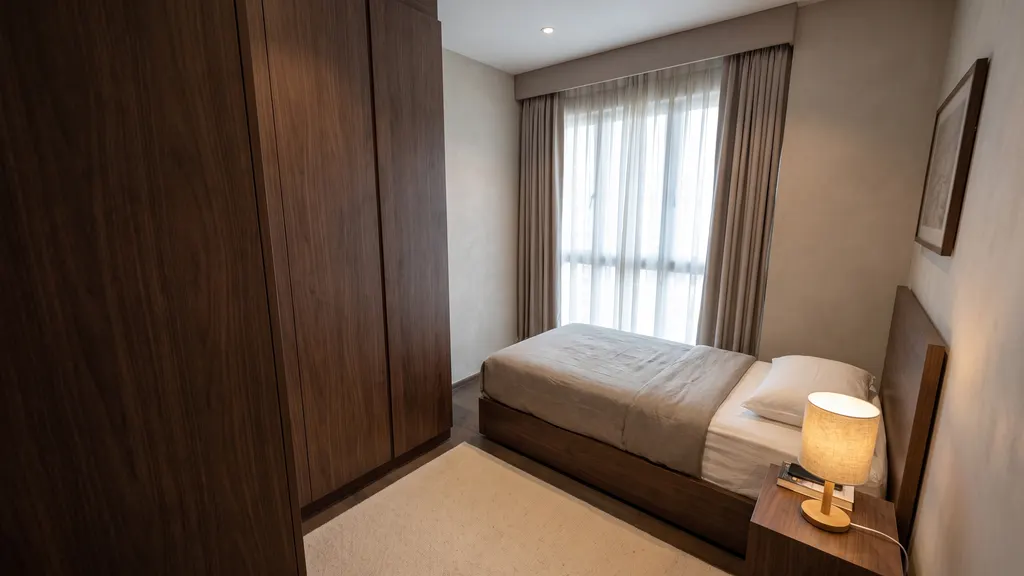
 3D clayRender
Bedroom 2
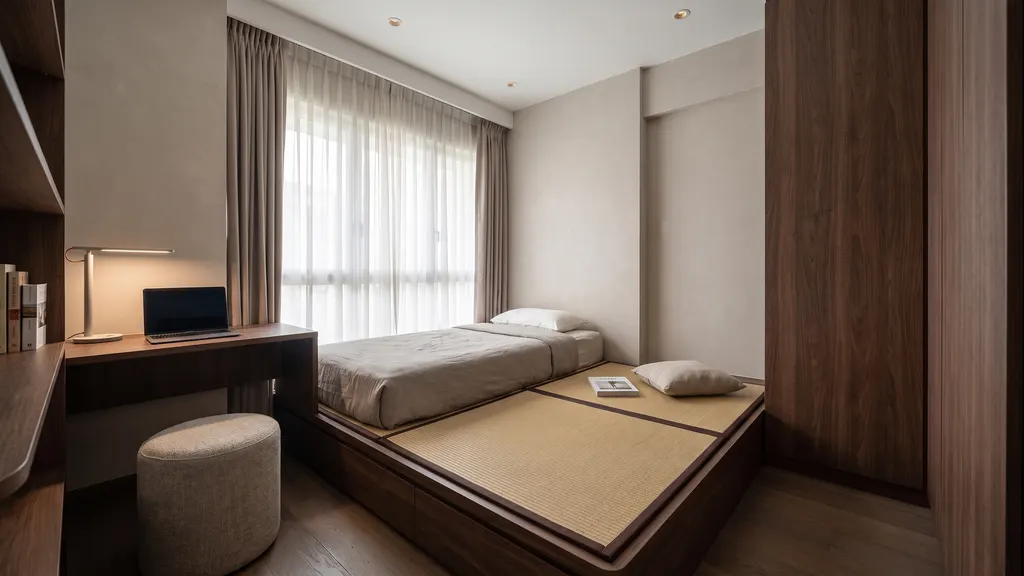
 3D clayRender
Bedroom 3, tatami
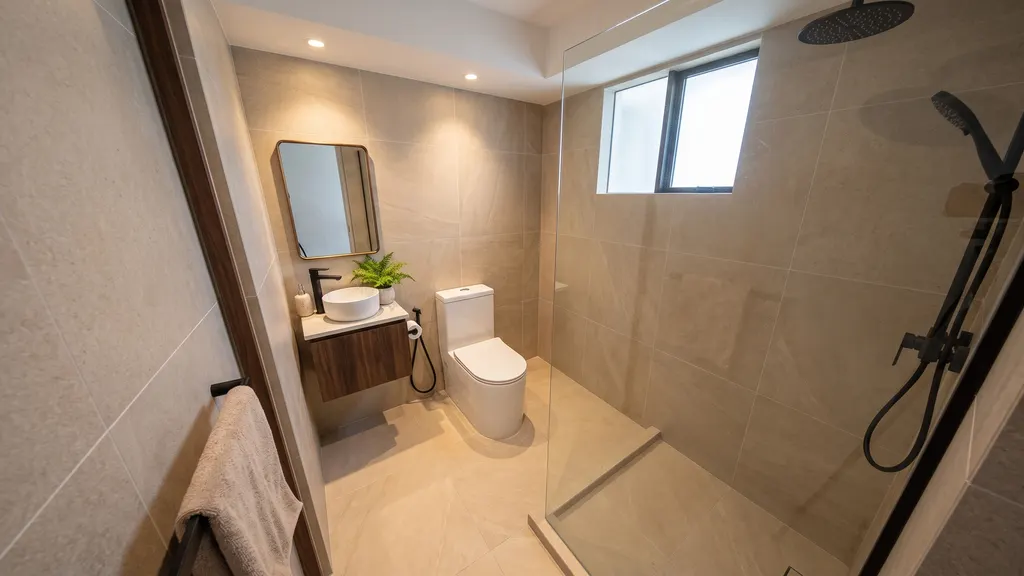
 3D clayRender
Bathroom 1
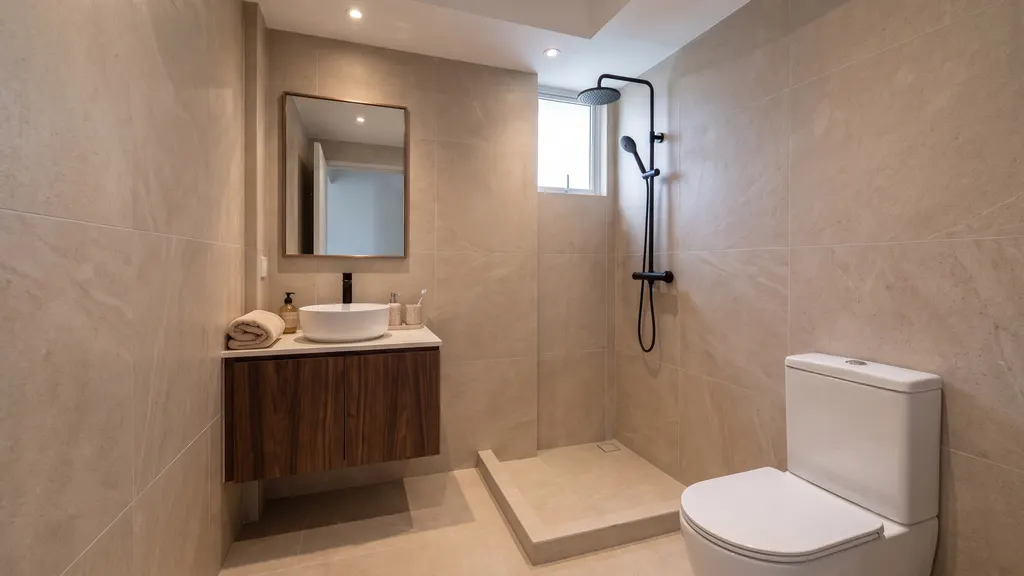
 3D clayRender
Bathroom 2
Step 1 of 5
Real engine output. This is the first project the engine ran start to finish (5 to 7 October 2026), shown as it came out, including what is off: the main bedroom wardrobe and bathroom 2 renders are framed differently from their clay views, and no designer reviewed the layout. The engine has been improved in every release since; it is now on version 1.19. This sample predates the design book, so it has no book to show. The demo video and this sample contain no client branding.
03 For your firm
What does an interior design firm get from IDstudio?
A furnished plan, renders and a design book of the client's own home to show at the first meeting, from the plan you already have.
Win the client at the first meeting
Walk into the client presentation with their own floor plan furnished, rendered room by room and bound in a design book, often before the quotation is signed.
Fewer revision rounds
The client sees each room before anything is built. Change a room in plain words or mark up the view, and only that room is redone.
A consistent look in every room
One theme kit runs through the whole home, and every render is made from the clay view of the same 3D model, so the rooms match each other and the plan.
A SketchUp file to keep working on
The 3D model comes as a SketchUp .skp file with a scene per view, so your team can carry on in its own workflow.
A design book with your logo
A client-ready PDF with the plans, the renders in your chosen photo style and next steps, plus a separate brief PDF.
You stay the designer
Nothing moves on until you approve each stage. The AI does the drafting, modelling and rendering; you make the design calls.
04 What you get
Can AI make a design proposal from a floor plan?
Yes. One IDstudio project gives you everything for a first client presentation: plans, a 3D model you can edit, renders of each room and the design book.
 Plan
PlanFurnished technical plan
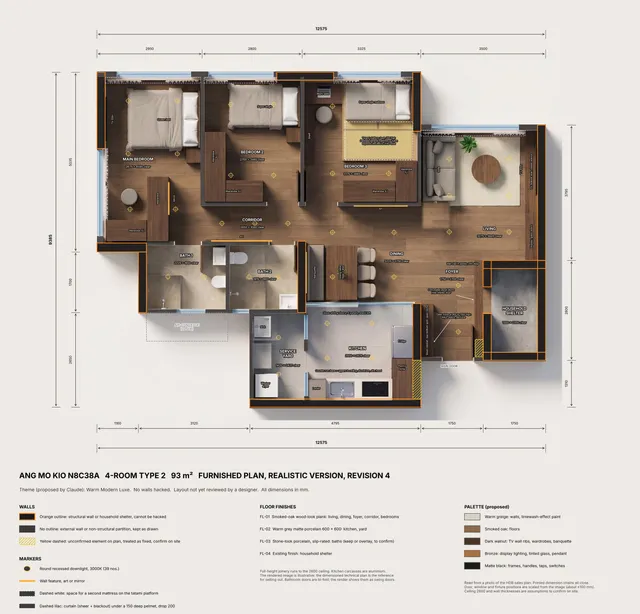 Plan
PlanRealistic top-down plan
- Met
- Not met, with the reason
- Confirm on site
- Questions for you
Your brief, checked
- .skpSketchUp
SketchUp model
- 3D clay
Clay views
 Render
Photoreal renders
- Review
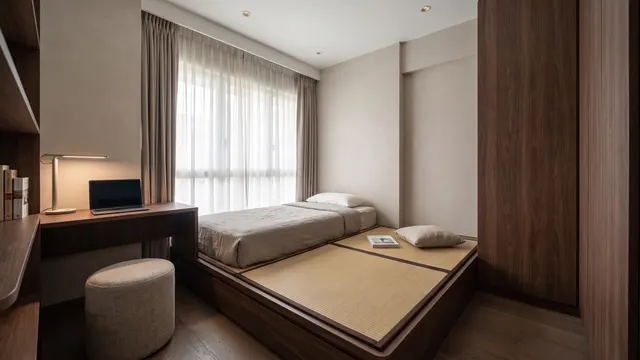
Room-by-room review with live AI chat
 PDF
PDFClient design book
05 Themes
Which interior design themes can I use?
Eleven themes with full kits, or your own. Each comes ready to use with its own joinery, feature walls, materials, furniture and decor. Press "Make it my own" on any theme to turn it into your firm's own, with your palette and finishes.
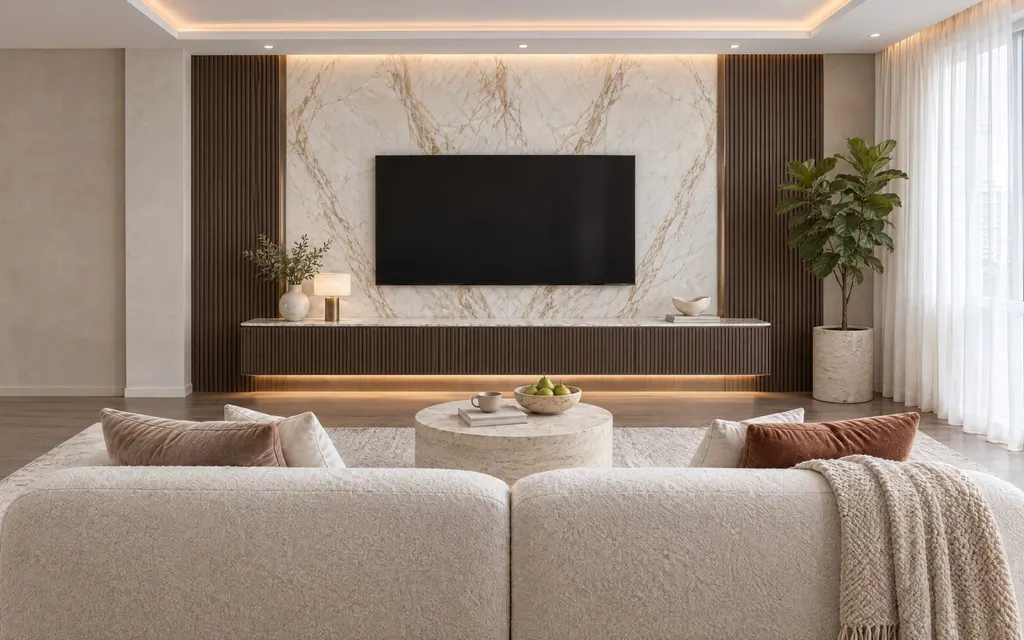 01Warm Modern LuxeOne hero material (dark walnut, used fluted), one accent metal (bronze), on a quiet warm greige base.Fluted smoked oak joineryCalacatta Oro marble TV wallBrushed bronzeIvory boucle sofaSee what it includes
  02Bright Modern LuxeThe light, airy sister of Warm Modern Luxe: white marble and fluted white oak on bright ivory, champagne brass as the one metal.Ivory lacquer and fluted white oakStatuario marble TV wallChampagne brassCurved boucle sofaSee what it includes
  03JapandiPale oak and lattice on warm white, low furniture, black only as a thin line. Calm and uncluttered.White-oiled oak joineryOak lattice TV wallThin charcoal steelLow oak-frame sofaSee what it includes
  04Modern CreamCream tone on tone with terracotta and cocoa accents, curves everywhere: arches, flat handleless joinery with curved ends, round pedestal tables, honed pitted travertine and limewash walls in warm light.Flat handleless cream joineryArched limewash niche TV wallDark bronzeCurvy boucle sofaSee what it includes
  05Wabi-SabiHand-finished plaster, rough timber and stone, nothing perfect, muted earth colours.Weathered oak joineryLime plaster TV wallHand-forged ironLinen slipcover sofaSee what it includes
  06Dark IndustrialCharcoal and smoked glass with warm leather and timber to keep it livable.Charcoal joinery, smoked glassMicrocement TV wallBlack steelCognac leather sofaSee what it includes
  07PeranakanA calm modern base with Peranakan tile, colour and carved detail used in a few places only.Teak and jade lacquer joineryCarved fretwork TV wallAntique brassTeak sofa, jade silkSee what it includes
  08Modern British ColonialWhite wainscoting, dark timber, rattan and brass, with ceiling fans and shutters.Shaker joinery with rattanPanelled TV wallAntique brassRattan planter chairSee what it includes
 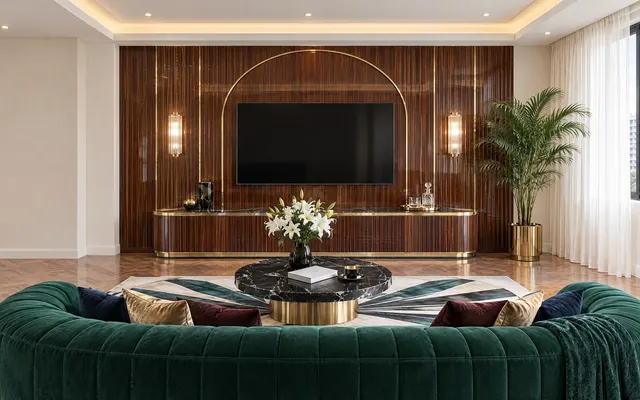 09Art DecoGeometric glamour: arches, fans and fluted curves in lacquered walnut and black-and-white marble, polished brass, one jewel colour.Walnut lacquer, brass inlayArched fluted TV wallPolished brassEmerald velvet sofaSee what it includes
  10NewFrench CreamA Parisian apartment: cream limewash and plaster walls with boiserie, arched openings and niches, rounded furniture in boucle and linen, aged brass and oak herringbone.Cream arch-panelled joineryBoiserie TV wallAged brassCurved boucle sofaSee what it includes
  11NewPop ArtBold primaries in confident colour blocks on gallery white: glossy lacquer, graphic art and pattern, terrazzo, sculptural furniture and neon, still livable.Colour-block gloss joineryColour-blocked lacquer TV wallPolished chromeSculptural cobalt velvet sofaSee what it includes
06 Photo styles
Which photo styles can the final renders use?
Seven. Once the renders are approved, pick a photo style for the finals that go into the design book. The room stays exactly as approved; only the light, time of day, colour grade and loose styling props change.
- Magazine whitethe default
- Catalogue
- Evening lifestyle
- Luxury
- Sunlit
- Architectural
- Soft Scandi
Use one style for the whole project, or a different style for single views.
07 Pricing
How much does IDstudio cost, and is there a free trial?
Yes, start with a free trial project. After that it is one plan at a launch price of US$99 (S$129) a month, down from US$149 (S$199).
IDstudio Launch priceSave 33%
Launch price, normally US$149 / S$199 a month
US$149 US$99a month · S$129 for Singapore cards
Save 33%. The launch price stays yours for as long as you stay subscribed.
- 6projects a month
- ~100renders a month (est.)
- 1live AI chat per room
- Furnished plans, 3D models and SketchUp files, renders, and the client design book
- Live AI chat per room for changes
- Cancel anytime
Charged in US dollars, or S$129 for Singapore cards. For several designers or a whole firm, email [email protected].
Free trial
US$0
- One full project, 7 days, no card needed
- Floor plan to furnished layout, 3D model and SketchUp file
- Up to 4 renders (trial credits worth US$50)
- Hand drafting
- Render artist
- Rendering subscription
- SketchUp subscription
- One IDstudio plan
08 Choosing a tool
What's the best AI tool for interior designers in Singapore?
The one that works from your own floor plan and gives you files you can keep working on. Check any AI interior design tool against these six points; IDstudio was built to meet all six.
- It works from your own plan. Upload the HDB sales plan, a condo plan or your drawn layout, and keep your layout exactly as drawn if you want.
- It builds a real 3D model, not just pictures. Every room is modelled before it is rendered.
- Each room looks the same from view to view. Renders are made from the clay views of that one model, in one theme kit.
- It exports to SketchUp. A .skp file with a scene per view, for your own team to carry on.
- You approve each stage. Brief, plan, model, renders and book each wait for your sign-off.
- It ends in a design book. A client-ready PDF you can send, not a folder of loose images.
09 Built with designers
Who built IDstudio?
Konverta.ai built IDstudio with CAsarté Interior, a practising interior design firm in Singapore. It follows how a Singapore designer actually briefs, checks and presents a home: HDB rules, local furniture sizes, and a book the client can keep.

"In my opinion, it's the number 1 tool an interior designer can try today."
10 Questions
Questions interior designers ask about IDstudio
What is IDstudio?
IDstudio by konverta.ai is an AI tool for interior designers that turns a floor plan into a furnished layout, a 3D SketchUp model, photoreal renders and a client-ready design book. It was built with CAsarté Interior, a practising interior design firm in Singapore, and works for HDB, condo and landed homes. It runs in a web browser at idstudio.konverta.ai and starts with a free trial.
What's the best AI tool for interior designers in Singapore?
Choose one that works from your own floor plan and gives you files you can keep working on. IDstudio was built for Singapore interior designers with CAsarté Interior, a practising Singapore firm: it reads your plan, builds a real 3D model with a SketchUp export, renders each room from that model, stops for your approval at each stage and ends in a client-ready design book. The simplest way to judge is the free trial on one of your own plans.
How do Singapore ID firms make 3D renders from an HDB floor plan?
Upload any floor plan (HDB BTO or resale, condo or landed) to IDstudio and answer a short brief. IDstudio reads the plan, lays out a furnished plan, builds the 3D model and SketchUp file, renders every room and makes the design book, and you approve each stage. That is five steps and less than an hour when left to run through all five steps on its own, without stopping for your review. The designer briefs, checks and approves; the AI does the drafting, modelling and rendering.
HDB and BTO floor plans to 3D renders · Floor plan to 3D render with AI
Can I turn a 2D floor plan into 3D renders?
Yes. Upload the 2D floor plan image (an HDB sales plan, a condo or landed plan, or your own drawn layout) and IDstudio converts it into a furnished floor plan, a 3D model with a SketchUp file, a 3D floor plan and photoreal 3D renders of every room. Each render is made from a clay view of the same 3D model, so the renders match the plan.
Can AI make a design proposal from a floor plan?
Yes. From one floor plan and a short brief, IDstudio makes a furnished technical plan, a realistic top-down plan, your brief checked line by line, a SketchUp .skp model, clay views, photoreal renders of every room, a 3D floor plan and a client-ready design book PDF, plus a separate brief PDF. The designer approves each stage before the next one starts.
Does IDstudio export to SketchUp?
Yes. Once you approve the furnished plan, IDstudio builds it in 3D and gives you a SketchUp .skp file with a scene for each view, so you can keep working in your own SketchUp. The Ang Mo Kio sample has 13 scenes: 12 room views and an overview.
How much does IDstudio cost, and is there a free trial?
Yes, there is a free trial. The free trial is one full project for 7 days with no card: floor plan to furnished layout, 3D model and SketchUp file, and up to 4 renders (trial credits worth US$50). After the trial it is one plan: US$99 (S$129) a month at the launch price, down from US$149, for 6 projects and an estimated 100 renders, cancel anytime.
Does it work with my floor plans: HDB, condo and landed?
Yes. Upload the floor plan image you already have, such as the HDB sales plan, a developer's condo plan or your own drawn layout. IDstudio reads the walls, doors, windows and printed dimensions, and either keeps your drawn layout exactly or proposes one. It works for HDB flats, BTO or resale, from 2-room to 5-room and executive, plus condos, executive condominiums and landed homes. It never alters structural walls, the household shelter, external walls or columns, and removes a partition only when the brief allows hacking. A designer still measures on site and handles approvals.
Are my plans and client projects kept private?
Yes. Each firm's projects are private to that firm: nobody at another firm can open them. Inside a firm, a designer sees the projects they created and the firm's owner sees all of them. For the data terms of a firm-wide set-up, email [email protected].
Who owns the plans, renders and design book?
You can download every file from your project and use it with your clients: the plans, the SketchUp model, the clay views, the renders and the design book.
Which interior design themes does IDstudio have?
Eleven, each with a full kit of joinery, feature walls, materials, furniture and decor: Warm Modern Luxe, Bright Modern Luxe, Japandi, Modern Cream, Wabi-Sabi, Dark Industrial, Peranakan, Modern British Colonial, Art Deco, French Cream and Pop Art. With "Make it my own" you copy any theme and turn it into your firm's own.
Which photo styles can the final renders use?
Seven: Magazine white (the default), Catalogue, Evening lifestyle, Luxury, Sunlit, Architectural and Soft Scandi. The room stays exactly as approved; only the light, time of day, colour grade and loose styling props change, and the styled finals go into the design book.
Can I change the design after the AI makes it?
Yes. Each room has its own chat: change it in plain words or mark up the view. On the plan you can also type changes, sketch or send a screenshot. IDstudio answers each point as done, partly done or not possible, with the real measurements, and keeps your earlier changes in place.
Who is IDstudio for, and who is it not for?
Interior designers and renovation firms in Singapore who need to show a client a furnished plan and renders, often before the job is won. It is not a do-it-yourself app for homeowners, it does not make construction or submission drawings for HDB or BCA, and it is not for commercial or office fit-outs.
Who built IDstudio?
Konverta.ai built IDstudio with CAsarté Interior, a practising interior design firm in Singapore, so it follows how a Singapore designer actually briefs, checks and presents a home. Konverta.ai is a digital, data and AI consultancy in Singapore founded by Kenneth Phua.
Does IDstudio use the latest AI models?
Yes. IDstudio is powered by the latest-generation AI models and continuously updated: you never work on an old model, and there is no separate rendering or SketchUp subscription to manage.
Does IDstudio replace an interior designer?
No. It is built for interior designers: it does the drafting, modelling and rendering so the designer can spend the time on the client and the design decisions. The designer approves every stage.
Also from konverta.ai: the free Shelf Test, a virtual shelf test with 1,000 synthetic shoppers, and konverta.ai, digital, data and AI in Singapore.
11 Guides
Guides for interior designers
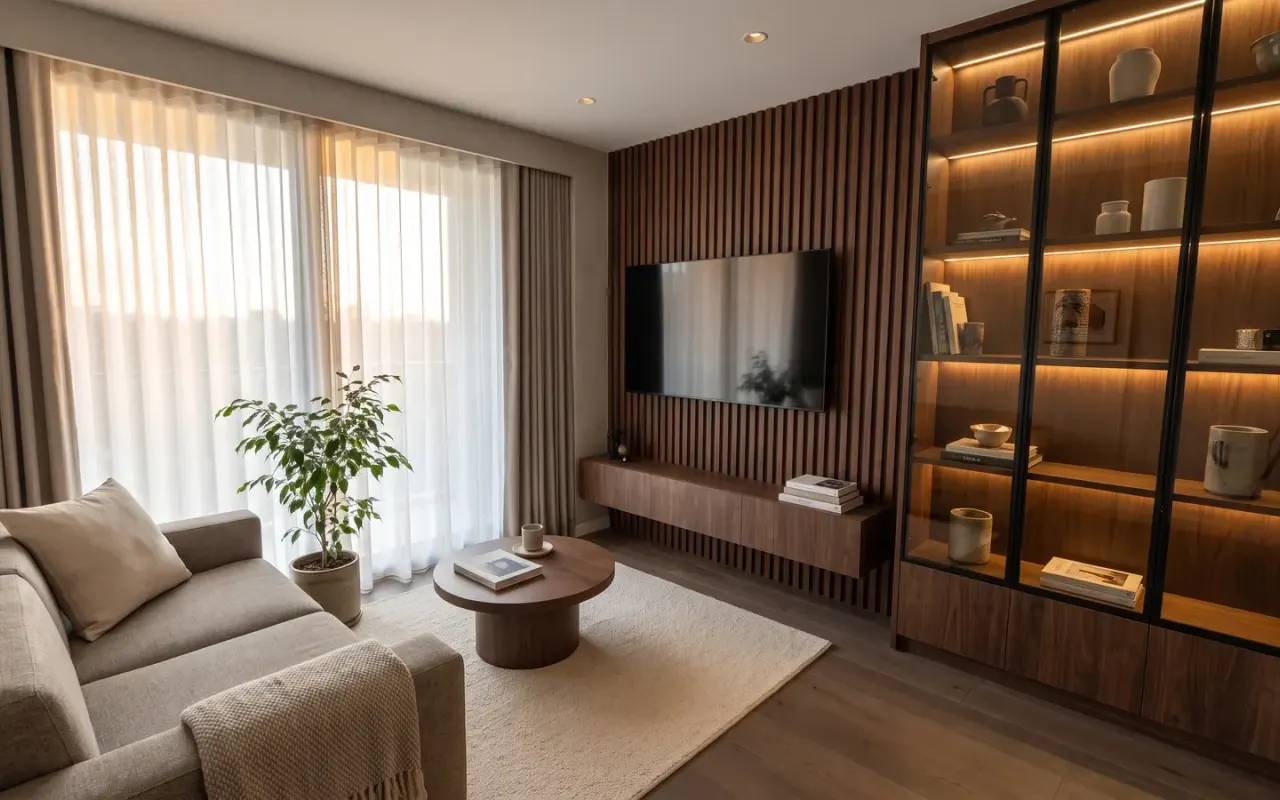 Why AI actually helps in interior design (and how)7 min read
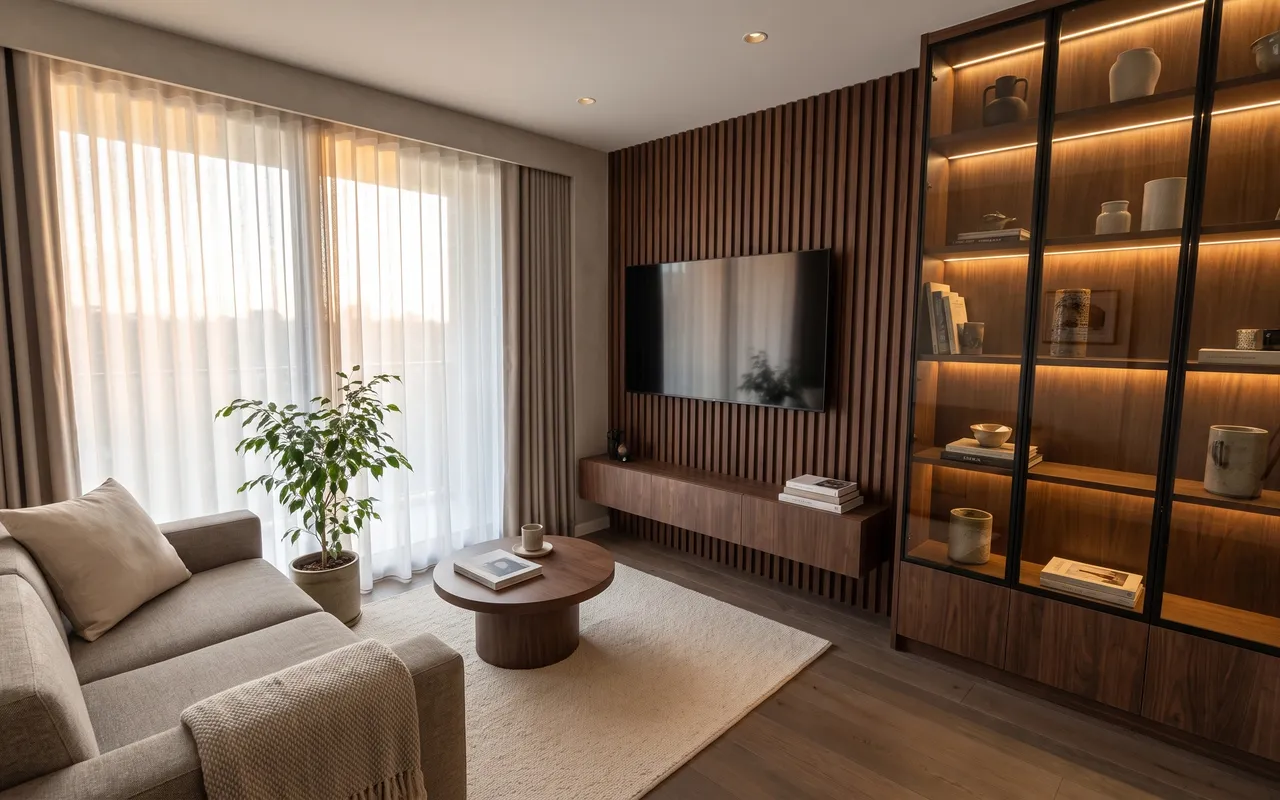 How AI turns an HDB floor plan into a design proposal4 min read
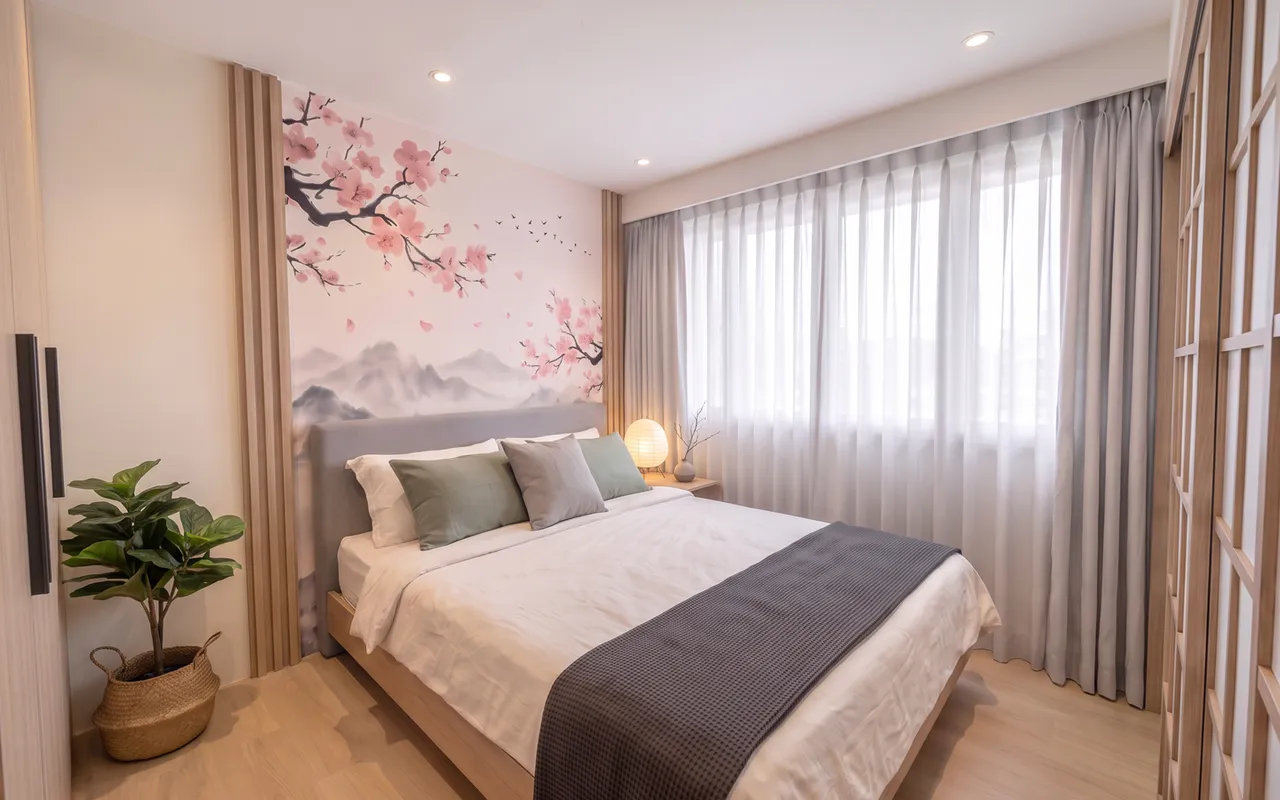 Japandi 2-room Flexi: a case study with Ling's Haus5 min read
- HDB renovation rules for interior designers in Singapore5 min read
 AI vs hand drafting vs render tools for interior design5 min read
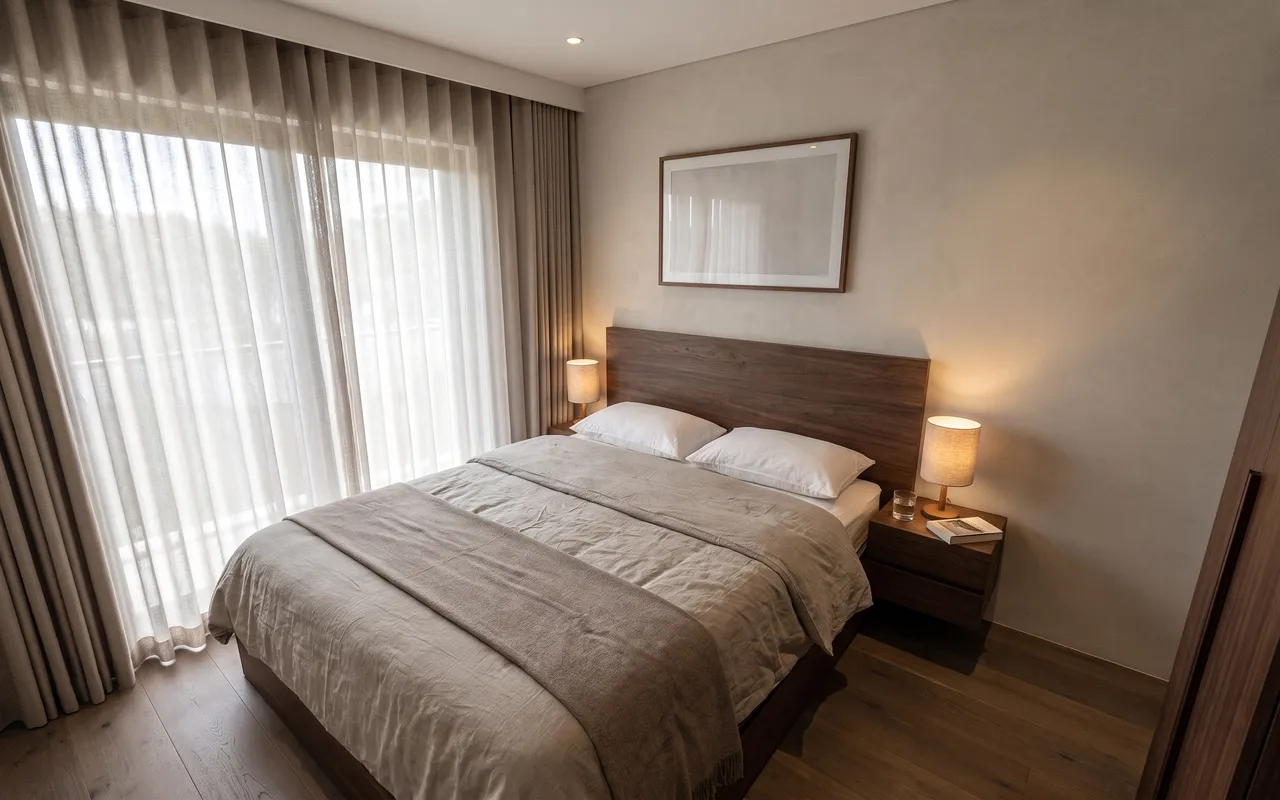 AI interior design proposals: what Singapore designers can send clients on day one3 min read
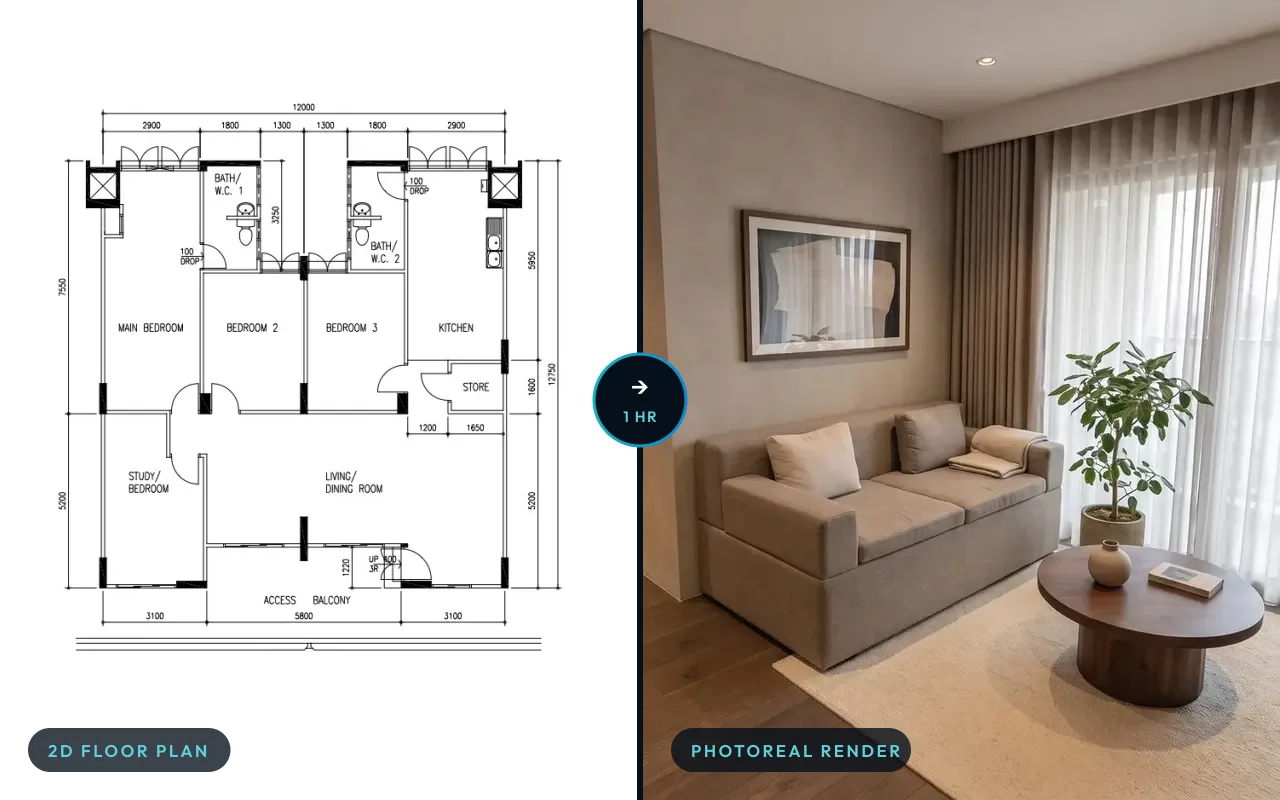 The AI interior design engine built with CAsarté Interior3 min read
Try IDstudio on your next floor plan
One full project free: 7 days, trial credits worth US$50, no card needed. Sign up, upload the plan, answer the brief. Or talk to Kenneth about a firm-wide set-up.
1 project free for 7 days · No card · Your plan, your client, your logo
Private by default: your client's plans and renders stay in your firm's account, behind your sign-in.