
IDstudio · AI tools for interior design
The AI interior design tool that starts from your floor plan
IDstudio reads your 2D floor plan, builds a real 3D model and gives you a furnished plan, a SketchUp file, renders of every room and a client design book. You approve each stage.
US$50 of free trial credits · 1 project free for 7 days · No card
Trial credits worth US$50, then US$99 (S$129) a month at the launch price. Private by default: your client's plans and renders stay in your firm's account, behind your sign-in.
Built in Singapore by Konverta.ai with CAsarté Interior, a practising interior design firm. Konverta AI SG Pte. Ltd., UEN 202617286Z.
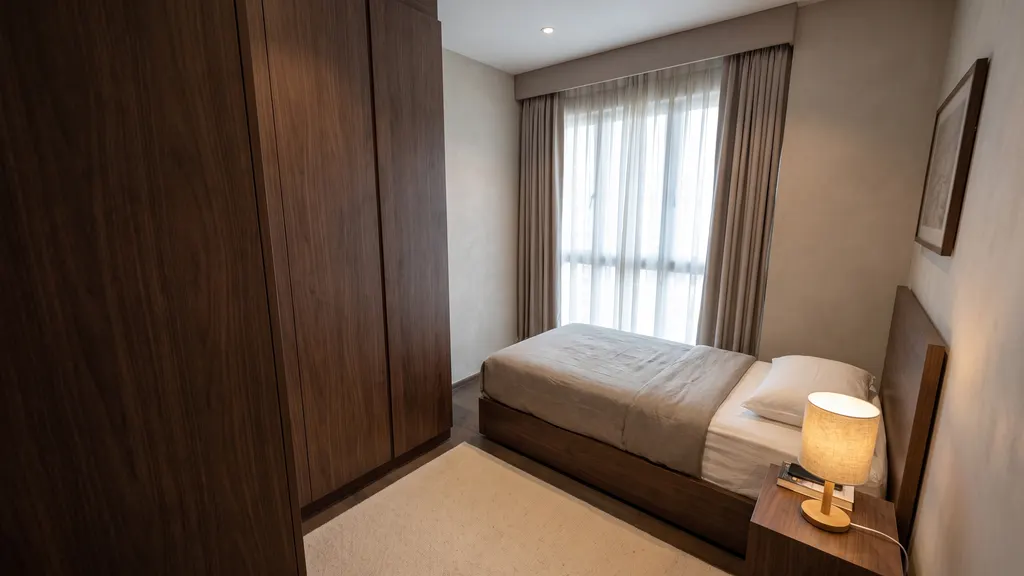
 3D clayRender
01 In short
AI tools for interior design: what to look for
Choose by what the tool starts from and what it hands back. An AI room design generator restyles a photo or a prompt; a render tool needs a 3D model you built; floor plan to 3D software such as IDstudio starts from your 2D floor plan and gives you a furnished floor plan, a SketchUp model, 3D renders of every room and a design proposal. For an interior design firm, the six checks below matter most.
02 A real project
A real project: Japandi 2-room Flexi by Eunice, Ling's Haus
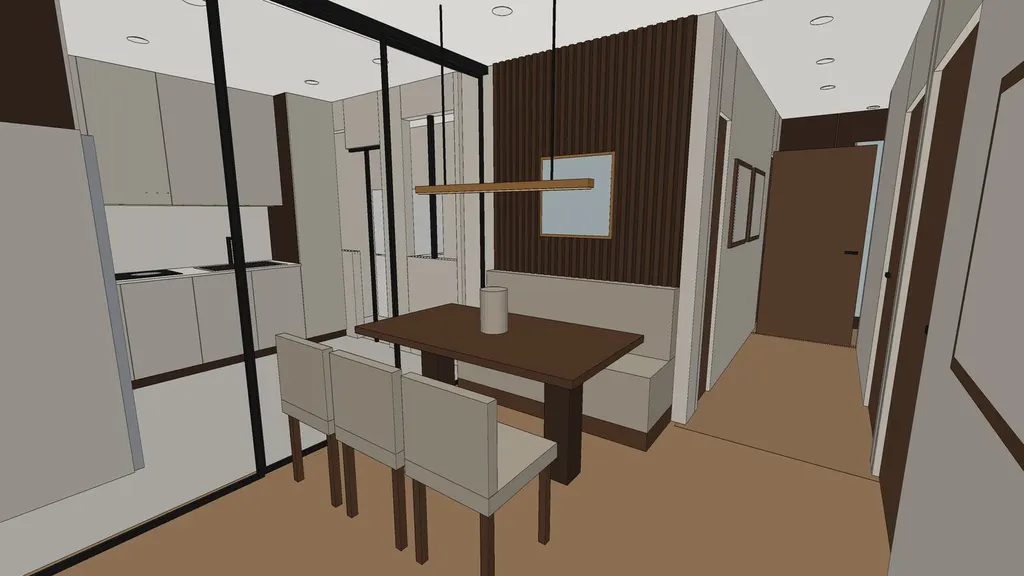
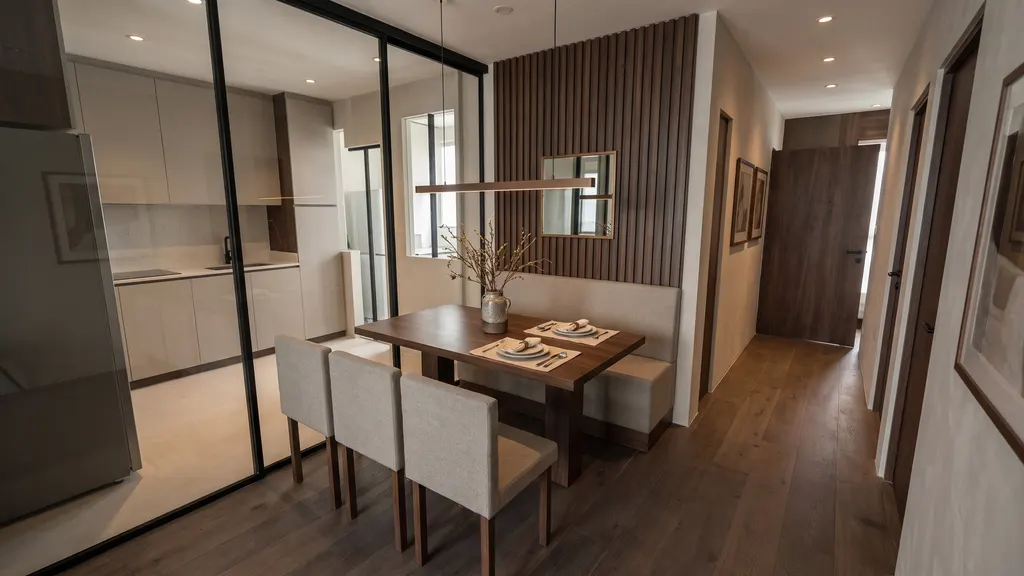
Eunice drew her layout on the HDB floor plan. IDstudio built it as she drew it, made the 3D model and rendered every room, then rebuilt it with her corrections.
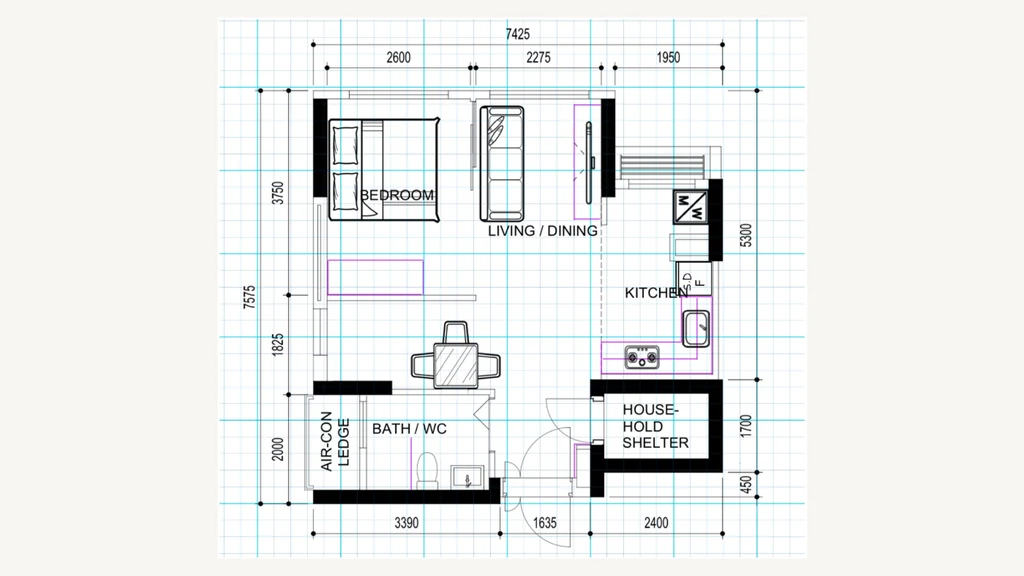
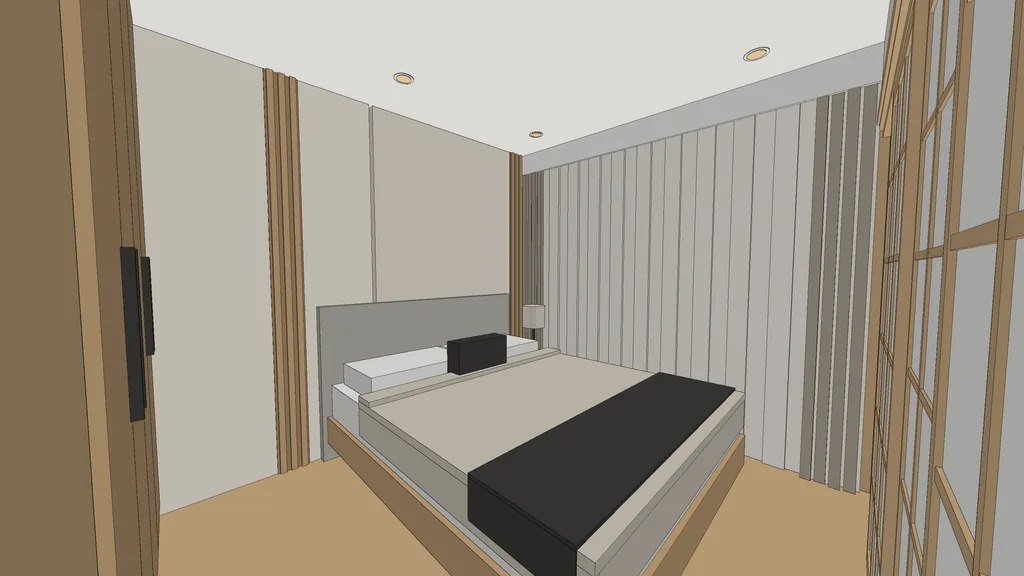
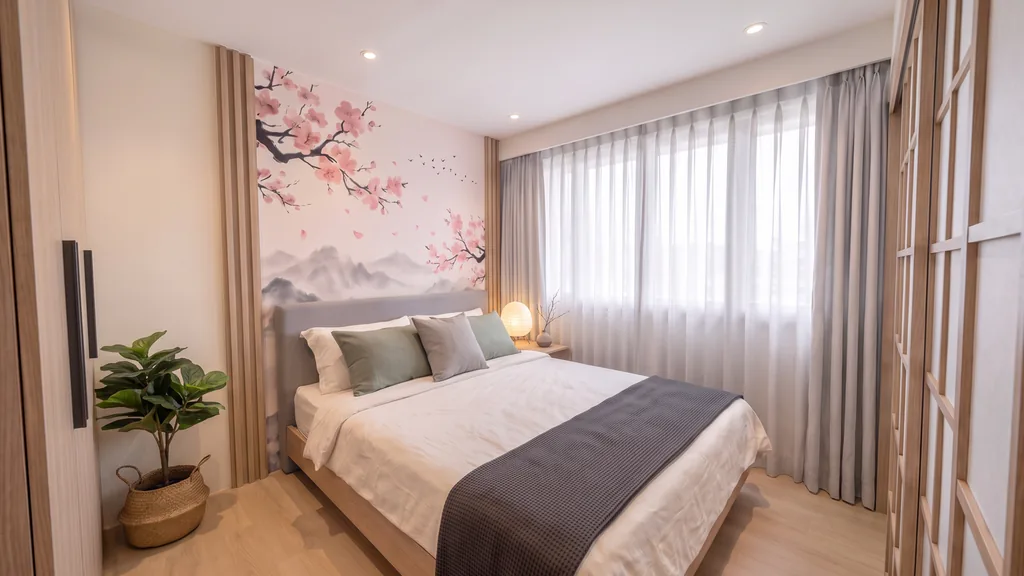
Read the case study · Made with IDstudio.
03 Kinds of tools
What kinds of AI interior design tools are there?
Three kinds, and they do different jobs. Only one starts from the floor plan.
| AI room design generators and home design apps | Render tools | Floor plan to 3D software (IDstudio) | |
|---|---|---|---|
| Starts from | A photo of a room or a text prompt | A 3D model you build, or a screenshot of it | Your 2D floor plan and a short brief |
| Layout | None: it restyles a picture | You place every piece | AI space planning, or your own layout kept exactly |
| A real 3D model | No | Yes, the one you built | Yes, with a SketchUp .skp export |
| Same room from view to view | Each image is made on its own | Yes, from your model | Yes: every render comes from the clay view of one model |
| You end up with | Images | Renders | A furnished plan, a SketchUp model, 3D renders and a design book PDF |
As each kind of tool describes itself, October 2026. No products are named on this page.
04 Checklist
What should an interior designer look for in an AI tool?
Six checks for interior design software for professionals. IDstudio was built to meet all six:
- It works from your own plan: the HDB sales plan, a condo or landed plan, or your own drawn layout, kept exactly as drawn if you want.
- It builds a real 3D model: every room is modelled before it is rendered, not painted as a picture.
- Renders stay consistent: each render is made from the clay view of the same model, in one theme kit, so the rooms match the plan and each other.
- It exports to SketchUp: a .skp file with a scene per view, so your team can carry on in its own workflow.
- You approve each stage: brief, furnished plan, 3D model, renders and design book each wait for your sign-off.
- It ends in a design proposal: a client-ready design book PDF for the client presentation, not a folder of loose images.
05 Comparisons
AI vs manual drafting, a 3D artist or an image generator
Three comparisons interior designers ask about, without naming products:
- AI vs manual drafting: by hand you trace the plan, place the furniture, model it and render it yourself. With IDstudio the AI drafts, models and renders, and you check and approve each stage.
- AI vs a render farm or 3D artist: outsourced renders are usually priced per view and wait for the artist. IDstudio renders every room of the home from your own approved model, inside one monthly plan.
- An image generator vs a real 3D model: a generated image can look good, but it cannot be measured, opened in SketchUp or kept the same from view to view. A 3D model can.
More on this: AI vs hand drafting vs render tools for interior design.
06 Why IDstudio
One floor plan, the whole proposal
Every room, one run
A furnished plan, a SketchUp model, renders of every room, a 3D floor plan and a client design book from one floor plan, with an approval gate at each stage.
Built with a Singapore ID firm
Built with CAsarté Interior, a practising interior design firm in Singapore. Works from the HDB sales plan, keeps structural walls and the household shelter as drawn, and lays out to local sizes.
Always the latest AI models
Powered by the latest-generation AI models and continuously updated: you never work on an old model, and there is no separate rendering or SketchUp subscription to manage.
07 Questions
AI tools for interior design: questions
What is the best AI tool for interior designers?
It depends on what you need to hand the client. If it is a furnished plan, 3D renders and a design proposal from the client's own floor plan, try floor plan to 3D software such as IDstudio, built for interior designers in Singapore with CAsarté Interior. Start the free trial and judge it on one of your own plans.
Is there AI interior design software for professionals?
Yes. IDstudio is AI interior design software for interior designers and ID firms, not a home design app for homeowners. It runs in the browser at idstudio.konverta.ai.
Can an AI room design generator replace a 3D model?
Not for a client proposal. A generated image cannot be measured or opened in SketchUp, and the same room can come out differently in each image. IDstudio builds the 3D model first and renders every view from it.
Is there interior design AI in Singapore that follows HDB rules?
Yes. IDstudio works from the HDB sales plan, keeps structural walls, columns and the household shelter as drawn, and removes a partition only when the brief allows hacking, listing the approval each one needs. HDB floor plan to 3D renders.
Can AI do space planning from a floor plan?
Yes. IDstudio reads the 2D floor plan and lays out a furnished floor plan to local sizes, or keeps your own drawn layout exactly. You check it and ask for changes in plain words before anything is modelled.
How much do AI interior design tools cost?
US$99 (S$129) a month at the launch price, down from US$149, for 6 projects and an estimated 100 renders, cancel anytime. The 7-day free trial is one full project with no card: floor plan to furnished layout, 3D model and SketchUp file, and up to 4 renders (trial credits worth US$50). Start the free trial.
More ways designers use IDstudio
- IDstudio: the AI interior design tool for interior designers
- Floor plan to SketchUp
- HDB and BTO 3D design
- 2D floor plan to 3D renders
- AI rendering for interior designers
- Interior design proposal software
- Fast renders for proposals
- PDF floor plan to 3D model
- Client presentation renders
- 11 interior design themes
- IDstudio guides
- AI vs hand drafting vs render tools
- AI interior design proposals: what Singapore designers can show at the first meeting
Updated
Try it on your next floor plan
IDstudio by konverta.ai is an AI tool for interior designers that turns a floor plan into a furnished layout, a 3D SketchUp model, photoreal renders and a client-ready design book. It was built with CAsarté Interior, a practising interior design firm in Singapore, and works for HDB, condo and landed homes. One full project free: 7 days, trial credits worth US$50, no card needed.
US$50 of free trial credits · 1 project free for 7 days · No card
Private by default: your client's plans and renders stay in your firm's account, behind your sign-in.