
IDstudio · PDF floor plan to 3D model
Your PDF floor plan, as a furnished 3D model
Upload the plan as a PDF or an image, any home: HDB, condo or landed. IDstudio reads it, builds the home in 3D, and renders every room from the model. You approve each stage.
US$50 of free trial credits · 1 project free for 7 days · No card
Trial credits worth US$50, then US$99 (S$129) a month at the launch price. Private by default: your client's plans and renders stay in your firm's account, behind your sign-in.
Built in Singapore by Konverta.ai with CAsarté Interior, a practising interior design firm. Konverta AI SG Pte. Ltd., UEN 202617286Z.
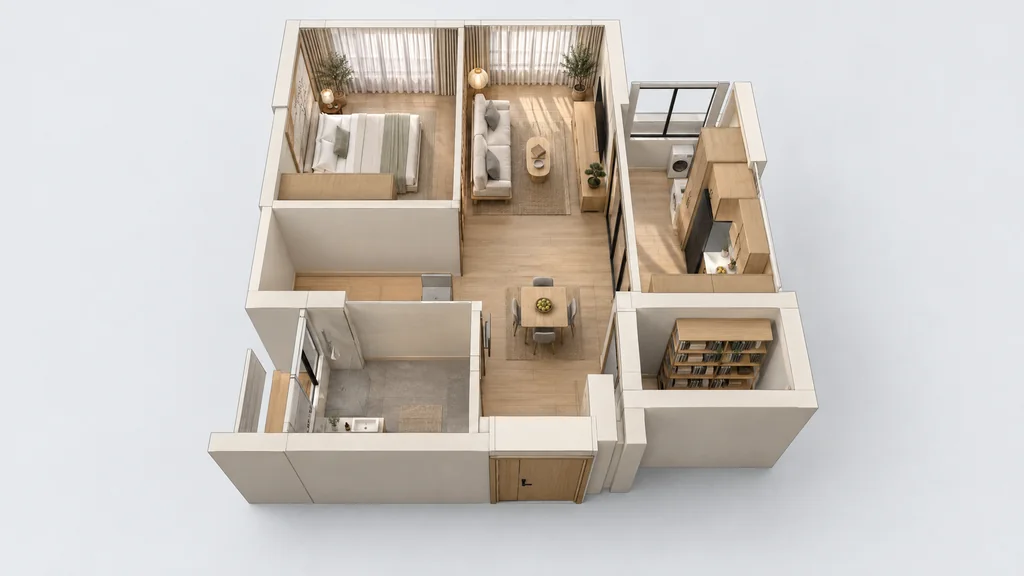
01 In short
Can I turn a PDF floor plan into a 3D model?
Yes. Upload the PDF or an image of the floor plan to IDstudio with a short brief. It reads the walls, doors, windows and printed dimensions, then builds a furnished 3D clay model with a SketchUp .skp download and photoreal renders of every room, with you approving each stage.
02 A real project
A real project: Japandi 2-room Flexi by Eunice, Ling's Haus
Eunice drew her layout on the HDB floor plan. IDstudio built it as she drew it, made the 3D model and rendered every room, then rebuilt it with her corrections.
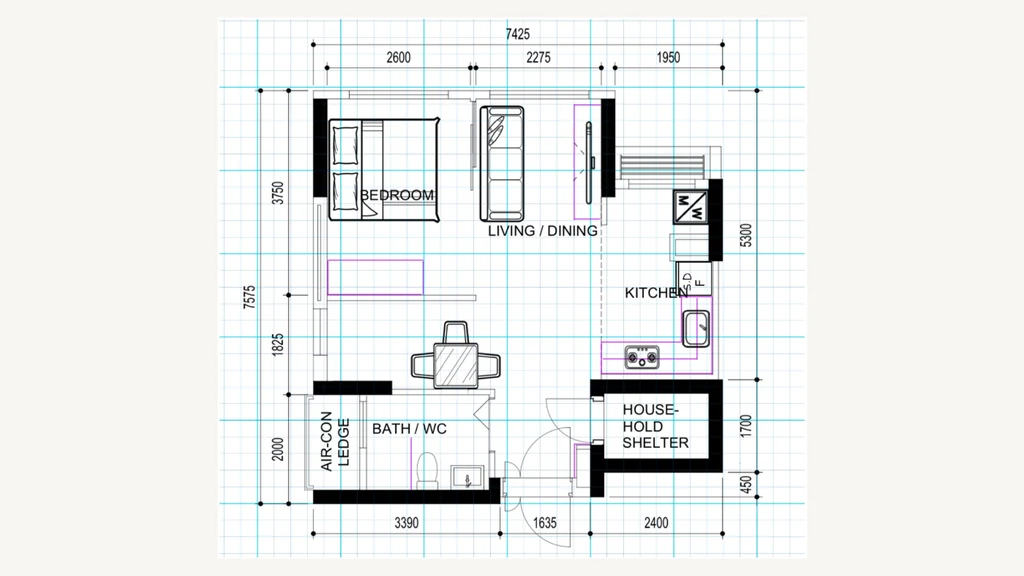
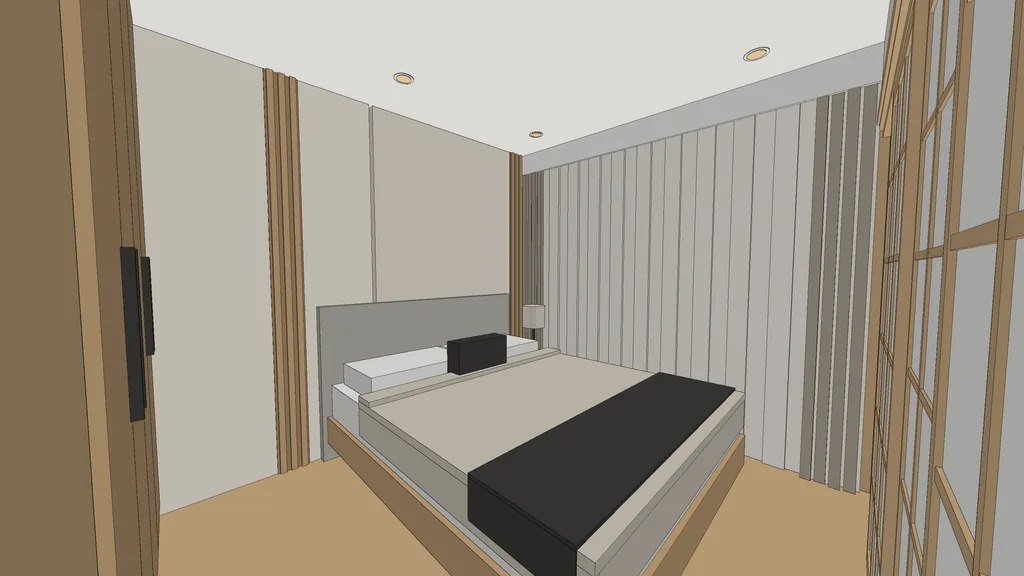
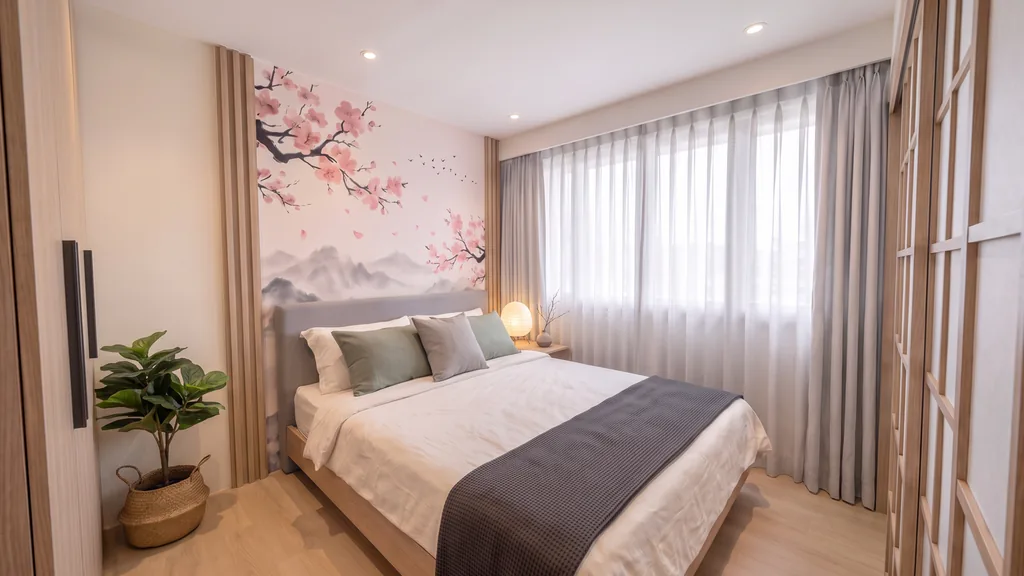
Read the case study · Made with IDstudio.
03 What it reads
What does the AI read from the plan?
The structure first, before anything is drawn or furnished:
- Walls, doors and windows: detected from the plan, together with its printed dimensions.
- Your own layout: if you have drawn furniture and joinery on the plan, it is built as drawn.
- Any kind of home: HDB, condo or landed, including homes on more than one level.
- Anything unclear: IDstudio asks, and lists assumptions such as ceiling height and wall thickness for you to confirm on site.
04 How it works
From PDF to 3D model in four steps
- 01
Upload the plan and a brief
Add the PDF or image of the floor plan and answer a short brief: theme, palette, rooms, beds, storage and hacking.
- 02
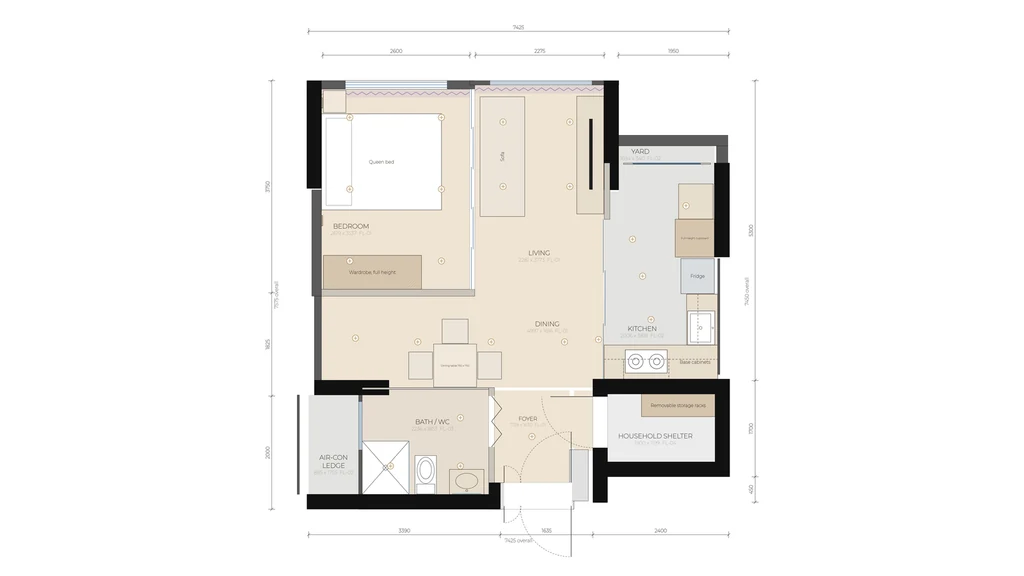
Approve the furnished plan
You get a dimensioned furnished plan. Ask for changes in plain words, a sketch or a mark-up, then approve.
- 03
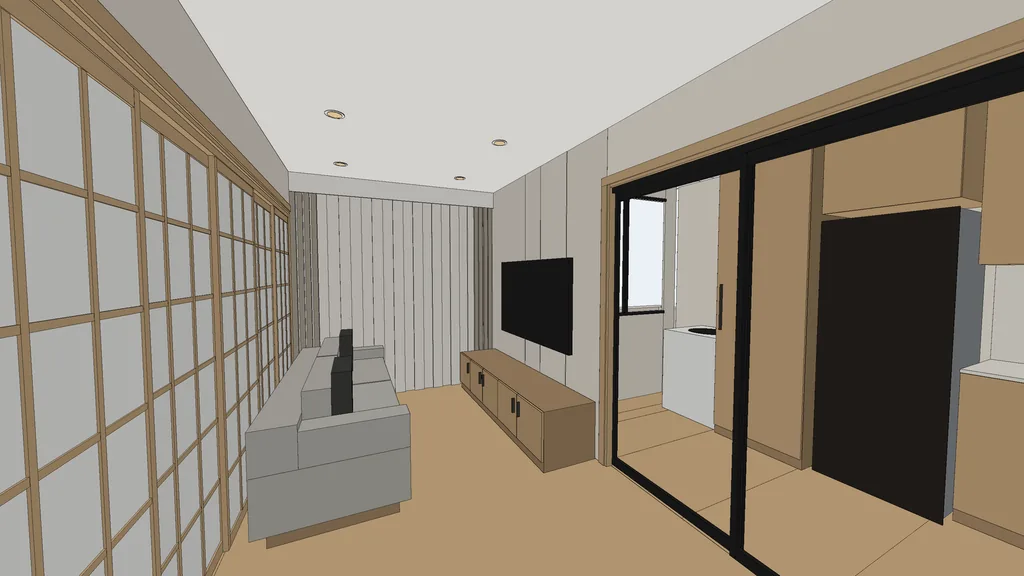
Get the 3D model
The approved plan is built in 3D with clay views of each room, and a SketchUp .skp file to download.
- 04
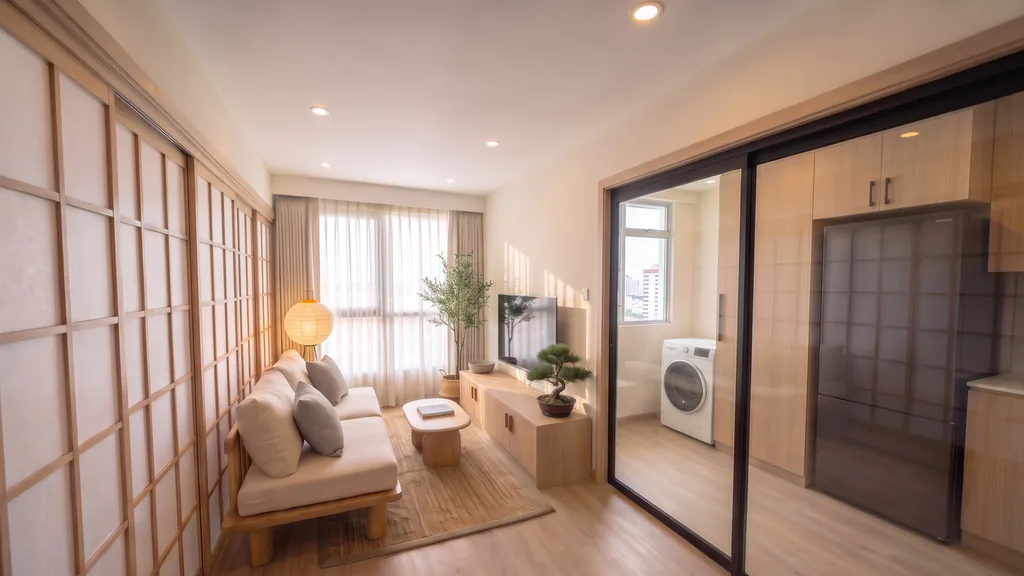
Render every room
Each room is rendered in the theme from its clay view, so the renders match the model.
05 Compared
Tracing a PDF by hand vs IDstudio
| Tracing the PDF by hand | IDstudio | |
|---|---|---|
| Starts from | The PDF placed and scaled in your 3D software | The PDF or image and a short brief |
| Walls and openings | You draw each one | Read from the plan for you to check |
| Furniture | You place and model every piece | Laid out by the AI, or your own layout kept exactly |
| What you end up with | The model you built | A furnished 3D model, a .skp download, renders of every room and a design book PDF |
06 Why IDstudio
One floor plan, the whole proposal
Every room, one run
A furnished plan, a SketchUp model, renders of every room, a 3D floor plan and a client design book from one floor plan, with an approval gate at each stage.
Built with a Singapore ID firm
Built with CAsarté Interior, a practising interior design firm in Singapore. Works from the HDB sales plan, keeps structural walls and the household shelter as drawn, and lays out to local sizes.
Always the latest AI models
Powered by the latest-generation AI models and continuously updated: you never work on an old model, and there is no separate rendering or SketchUp subscription to manage.
07 Questions
PDF floor plan to 3D model: questions
Can AI turn a PDF floor plan into a 3D model?
Yes. Upload the PDF to IDstudio and it reads the walls, doors, windows and printed dimensions, drafts a furnished layout and, once you approve it, builds the home in 3D with a SketchUp .skp file and renders of every room.
Can I upload an image instead of a PDF?
Yes. A PDF or an image of the floor plan both work, such as a developer's sales plan or a plan with your own layout drawn on it, as in the Ling's Haus case study.
What kind of 3D model do I get?
A furnished model of the home, shown as clay views of each room, plus photoreal renders and a 3D floor plan from above. You can download it as a SketchUp .skp file. Download the sample .skp.
Will the 3D model be accurate to the plan?
It reads the walls, doors, windows and printed dimensions before drawing anything, gives you a dimensioned technical plan to check, and lists the assumptions to confirm on site, such as ceiling height and wall thickness.
Does it work for condo and landed plans, not only HDB?
Yes. Upload any floor plan: HDB, condo or landed. Landed homes can have more than one level.
Do I need 3D modelling skills?
No. IDstudio drafts the layout, builds the model and renders it for you, and you approve each stage. You only need SketchUp if you want to open the .skp file yourself.
How long does it take?
In five steps and less than an hour. When left to run through all five steps on its own, without stopping for your review. You approve the furnished plan, the 3D model, the renders, the photo style and the design book, and each stage waits for you.
How much does it cost?
US$99 (S$129) a month at the launch price, down from US$149, for 6 projects and an estimated 100 renders, cancel anytime. The 7-day free trial is one full project with no card: floor plan to furnished layout, 3D model and SketchUp file, and up to 4 renders (trial credits worth US$50). Start the free trial.
More ways designers use IDstudio
- IDstudio: the AI interior design tool for interior designers
- Floor plan to SketchUp
- HDB and BTO 3D design
- 2D floor plan to 3D renders
- AI rendering for interior designers
- Interior design proposal software
- AI tools for interior design
- Fast renders for proposals
- Client presentation renders
- 11 interior design themes
- IDstudio guides
- How AI turns an HDB floor plan into a design proposal
- Japandi 2-room Flexi: a case study with Ling's Haus
Updated
Try it on your next floor plan
IDstudio by konverta.ai is an AI tool for interior designers that turns a floor plan into a furnished layout, a 3D SketchUp model, photoreal renders and a client-ready design book. It was built with CAsarté Interior, a practising interior design firm in Singapore, and works for HDB, condo and landed homes. One full project free: 7 days, trial credits worth US$50, no card needed.
US$50 of free trial credits · 1 project free for 7 days · No card
Private by default: your client's plans and renders stay in your firm's account, behind your sign-in.